
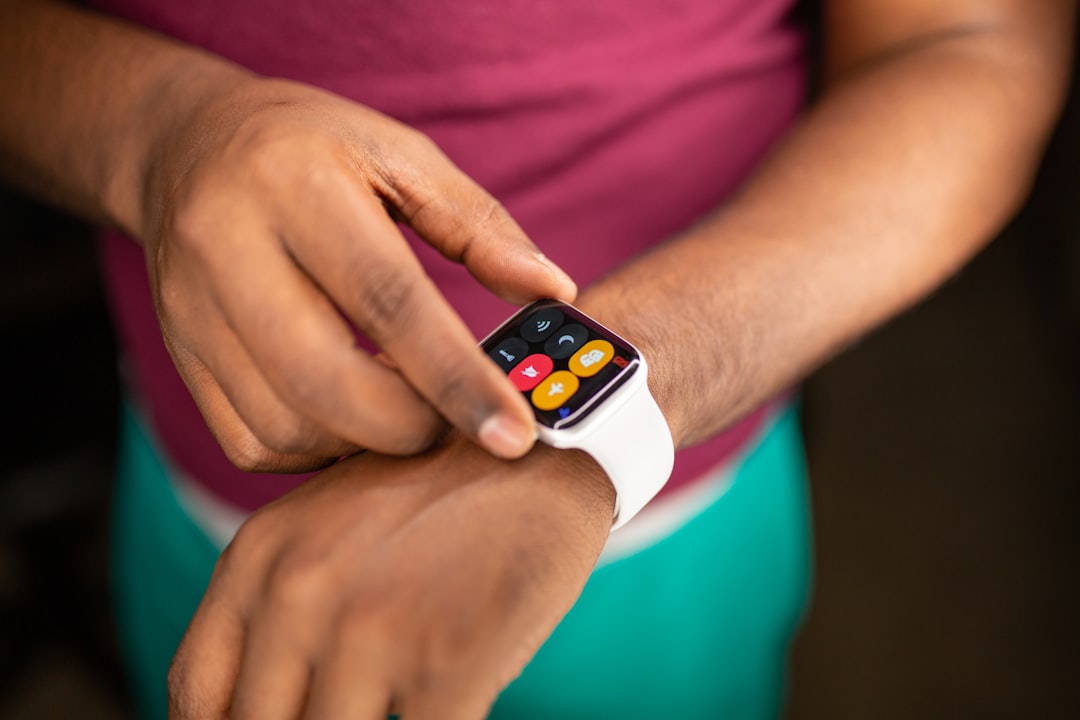
The Apple Watch has increasingly become an essential companion to many users’ daily lives, from tracking activity to handling calls, and even setting quick timers through Siri. But lately, a peculiar and frustrating problem has surfaced for some users: Siri timers fail to activate or complete as intended. This unexpected bug has confused users and disrupted anything from casual cooking sessions to structured workout intervals.
TLDR
If you’ve noticed Siri timers on your Apple Watch failing to ring, pause, or even start, you’re not alone. A widespread issue has affected users across various watchOS versions, likely due to cloud syncing inconsistencies between the Apple Watch and iCloud. A surprising but confirmed fix involves resetting the cloud sync settings on the iPhone. After performing this reset, timer reliability appears restored, making Siri useful once again for timely reminders.
The Problem: Missing or Unreliable Siri Timers
Imagine saying “Hey Siri, set a timer for 10 minutes,” and hearing the familiar confirmation chime. Yet, 15 minutes go by—and nothing happens. This issue has been popping up consistently among Apple Watch users. Whether using an Apple Watch Series 4 or the latest Apple Watch Ultra, the symptom is the same: timers set via Siri randomly fail to trigger.
This bug is not just a minor inconvenience. Apple Watch’s hands-free convenience is a major selling point, and when a cornerstone feature like timers becomes unreliable, it deeply affects the user experience. The glitch doesn’t seem to affect manually set timers within the Timer app—only those initiated via the voice assistant.
What We Know So Far
While Apple hasn’t released an official statement acknowledging the issue, users across community forums like Reddit and Apple Support Communities have reported:
- Timers via Siri not starting even after verbal confirmation.
- Timers disappearing shortly after being initiated.
- No haptic feedback or alert when timers should complete.
- Restarting the watch offers no lasting solution.
Standard troubleshooting, such as rebooting the device or resetting settings, often falls short. Interestingly, the issue appears linked more to synchronization than to hardware or software faults. That’s where a deeper cloud-based fix comes into play.
The Underlying Culprit: Cloud Sync Conflict
A strong case has been made for iCloud-related syncing failures being the root of the issue. Multiple users discovered that iCloud may be failing to properly update timer data between devices—particularly from the Apple Watch to the iPhone or vice versa. Siri timers depend heavily on iCloud to sync state, back up actions, and maintain timer persistence.
One consistent indicator reported by users: timers work perfectly on the iPhone through Siri, but fall short on the Watch, especially if the Watch is off Wi-Fi or temporarily disconnected from the phone. Even more revealing is that after performing a seemingly unrelated action—resetting cloud sync—timer reliability is mysteriously restored.

The Surprising Fix: Resetting Sync Data
One Reddit user, who had tried everything from unpairing to reinstalling iOS, stumbled upon a solution purely by accident. Here are the steps known to restore Siri timer functionality on the Apple Watch:
How to Reset Cloud Sync on Your iPhone:
- Open the Settings app on your iPhone.
- Go to Contacts (or alternatively, launch any app using iCloud sync like Calendars).
- Scroll down and tap ‘Accounts’.
- Select your iCloud account, then toggle iCloud sync off and on for Contacts, Calendars, or other services.
- Go back and reboot both your iPhone and Apple Watch.
- Wait for iCloud to reinitialize sync services.
The theory behind this approach is not that timers depend on Contacts or Calendar data specifically, but that toggling cloud features forces a complete reauthentication and refresh of synced metadata across devices. Users have reported instant improvements in Siri timer behavior after doing this.
Apple’s Elusive Response
As of writing, Apple has remained silent on the issue—a typical case when bugs affect only a subset of users or when they’re difficult to replicate internally. Genius Bar appointments offer little help, as many technicians rely on diagnostic software that doesn’t trace cloud-related failures. For now, the community continues to rely on sharing homegrown solutions.
What You Can Do in the Meantime
If you’re affected and don’t want to wait for an official fix, here are tips to maintain timer reliability:
- Use manual timers through the Timer app on your Apple Watch instead of Siri.
- Ensure that both your iPhone and Apple Watch are updated to the latest software versions.
- Disable low power mode or background app refresh limitations that may impact background processes.
- Use an alternative app like “Timer+” or “MultiTimer” that may bypass the bug via custom implementations.
- If you’re technically inclined, consider submitting logs to Apple through the Feedback Assistant.
A final tip: pay close attention to whether your Apple Watch remains connected to the same Wi-Fi network or remains within Bluetooth range of your iPhone. Disconnections can increase reliance on unsynced, local data that may be unreliable when Siri invokes timers.
What This Says About Siri’s Ecosystem
This issue raises broader questions about Siri’s dependencies. Many basic functions that users assume are done locally—like setting a timer—are actually routed through Apple’s cloud infrastructure. It’s a reminder that voice assistants, despite their simplicity of use, are often architecturally complex, involving syncing, databases, and shared device states.
The problem also demonstrates the delicate balance Apple strikes between automation and privacy. Reducing reliance on local-only processing helps Apple enforce integration and security, but comes at the price of potential reliability risks if sync fails.
Will There Be a Permanent Fix?
There is some hope. Apple has been actively refining Siri and voice-based services with major architectural overhauls announced during WWDC 2023. Over time, we may see more local Siri processing enabled, especially with the advent of Apple’s new Neural Engine and on-device intelligence push.
Until then, the community workaround via cloud sync toggling remains the best fix. It’s not officially sanctioned, but it’s proven effective. If the issue reappears, repeating the steps generally restores functionality—a far better alternative than re-pairing or factory resetting devices.
Conclusion
Siri timers on the Apple Watch are among the simplest and most used voice commands. When they fail, it affects daily life in surprisingly disruptive ways. While a permanent fix from Apple is still awaited, a targeted workaround involving iCloud sync reset on the iPhone has offered a ray of hope. As more users become aware of the fix, timer reliability is slowly being restored one reset at a time.
Whether you’re baking cookies, managing study blocks, or timing workouts, a dependable Siri is more than a luxury—it’s a necessity. And thanks to the collective insight of Apple’s community, even this silent bug has a practical solution.