

If you’ve found yourself locked out of your Instagram account or noticed suspicious activities such as posts you didn’t make or messages you didn’t send, your account may have been hacked. This can be an alarming and stressful experience, especially if your Instagram presence plays a significant role in your personal or professional life. Recovering your account, securing your credentials, and protecting your identity are crucial and time-sensitive steps. In this article, we’ll walk you through exactly what to do if your Instagram account was hacked.
TLDR
If your Instagram account has been hacked, act immediately to recover access by using Instagram’s account recovery tools, such as the ‘Need More Help?’ option. Once you regain access, change your password and enable two-factor authentication. If you can’t log in at all, report the hack to Instagram directly through their support system. Lastly, scan your devices for malware and improve your online security habits to prevent future incidents.
1. Confirm the Hack
Before jumping to conclusions, make sure your account was truly hacked. It could be a simple login issue or you may have forgotten a recent setting change. Here are signs indicating your account may have been compromised:
- You can’t log into your account, and your password no longer works.
- Your email address or phone number linked to the account has been changed.
- Posts, reels, or stories appear that you didn’t publish.
- You or your followers are receiving strange direct messages from your account.
If any of these symptoms apply, time is of the essence. Hackers can escalate access, impersonate you, or attempt phishing attacks targeting your followers.
2. Attempt to Recover Your Account
If your login credentials still work, log in immediately and go to your account settings. Check for any suspicious activities such as unauthorized login locations, changed email addresses, or connected third-party apps.
If you cannot log in, follow these steps:
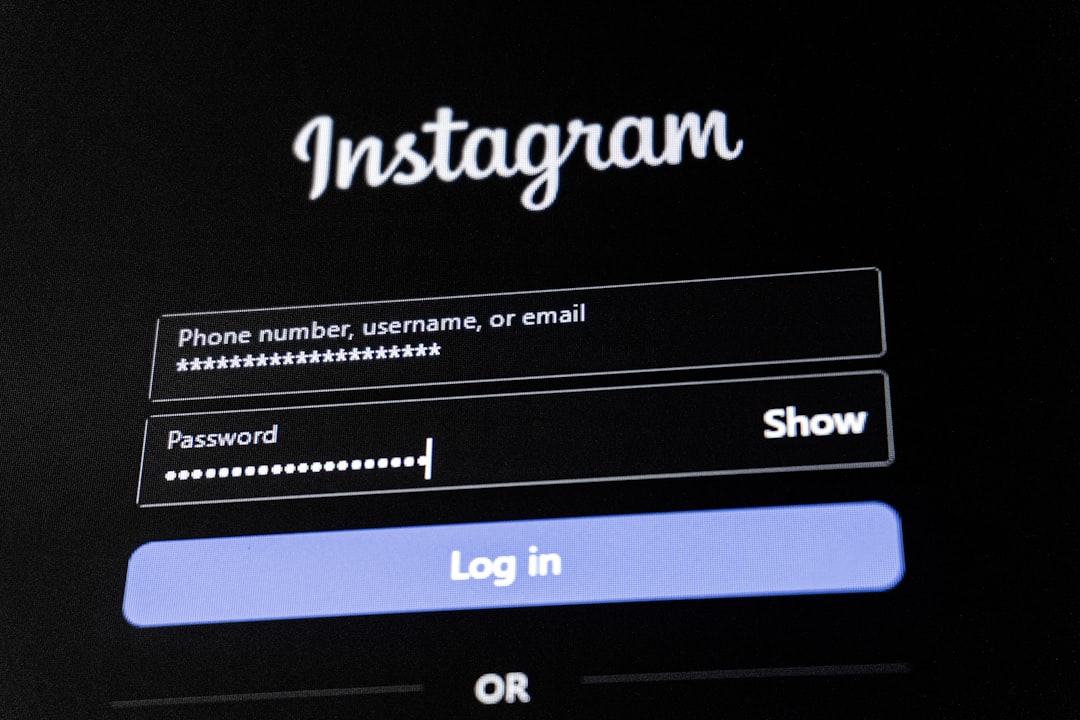
- Go to the Instagram login page and tap “Forgot password?”.
- Enter your username, email address, or phone number to receive a login link.
- If you don’t receive the link or your contact details have been changed, tap “Need more help?” under the login box.
- Fill out the form with as much information as possible. Instagram may ask for identity verification, especially if it’s a business or influencer account.
Instagram may respond via email with instructions or a security code to verify your identity. Keep an eye on your inbox and spam folder to ensure you don’t miss any updates.
3. Report the Hacked Account to Instagram
If automated recovery fails, report the issue manually:
- Go to Instagram’s help center: https://help.instagram.com/
- Select “Privacy & Safety Center” → “Report Something”
- Choose “Hacked Accounts” and follow the reporting process.
You may be asked for:
- A photograph of yourself holding a sign with a handwritten code sent from Instagram
- Original account details including username, email address, and device used for signup
- Proof of account ownership, especially for business accounts
This process may take a few days, but persistence is key. Do not attempt to create a new account immediately unless explicitly directed—doing so might compromise your chances of recovery.
4. Secure the Account After Recovery
If you recover access successfully, immediately take steps to prevent further breaches:
- Reset your password: Choose a strong, unique password avoiding dictionary words or obvious phrases.
- Remove suspicious apps: Navigate to Settings → Security → Apps and Websites and revoke access to unknown apps or integrations.
- Enable Two-Factor Authentication (2FA): Turn this on in Security settings using a trusted phone number or an authentication app like Google Authenticator.
- Check login activity: Review all locations and devices that accessed your account. If anything looks suspicious, log out of all sessions.
Make sure to update your email and phone information, and consider rotating your email password as well to add an extra layer of security.
5. Notify Your Followers
If the attacker posted harmful content or sent scam messages, let your followers know. This helps prevent any phishing or fake fundraising tactics from succeeding. Post a story or create a highlight sharing what happened and how your followers should avoid any messages that were sent during the hijack.

Transparency not only protects your community but also reinforces your credibility and trustworthiness, especially if you’re an influencer or run a brand account.
6. Scan Devices for Malware
Hacking isn’t always a brute force attack. Often, it’s malware or phishing software that compromises your login credentials. Run a full security scan on all the devices you use to access Instagram:
- Use updated antivirus software for Windows or macOS devices
- Delete suspicious browser extensions or recent installs
- Avoid saving passwords on devices used by others
It’s possible that your credentials were stolen via a phishing email or link you clicked unknowingly. Be cautious of unexpected DMs and links going forward—even from friends.
7. Double Check Connected Accounts
Many users link their Instagram profiles to Facebook, WhatsApp, or other social networks. After a hack, you should check these as well:
- Ensure Facebook or Meta login details haven’t been altered
- Limit third-party app permissions that connect through Meta or Instagram accounts
- Change passwords for any connected accounts that use the same email or password
Using the same password for multiple services increases your vulnerability across platforms. Implement a password manager to diversify and strengthen your login credentials.
8. Educate Yourself on Future Prevention
A one-time hack is unfortunate, but repeated breaches can be devastating. Strengthen your digital hygiene with these habits:
- Always use unique, complex passwords for each platform
- Update security settings regularly on social media accounts
- Avoid logging into your Instagram on public or shared devices
- Examine URLs before clicking—legitimate Instagram links usually contain instagram.com and are secured with https
If you’re managing a business account, consider using Meta’s Business Suite and enabling administrative oversight to mitigate uncontrolled access.
9. Consider Professional Help
If your account holds significant value—followers, sponsorships, income-generating engagement—consult with a cybersecurity expert or a professional account recovery service. There are legitimate services that specialize in recovering social media accounts, though you must be wary of scams pretending to offer help.
Never give out your password to someone promising a quick fix. Do your due diligence and verify third-party services through reviews, forums, and direct contact.
Conclusion
Being hacked on Instagram is a distressing experience, but with the right steps, you can regain control, secure your account, and educate yourself for a safer online experience. Prioritize security by enabling 2FA, using complex passwords, and staying alert to phishing campaigns and suspicious login attempts.
Ultimately, the key takeaway is to act quickly and stay informed. Cyber threats are evolving, and protecting your social identity on platforms like Instagram is as essential as protecting your physical identity in the real world.