
Gift cards have become one of the most convenient and flexible ways to pay for meals, drinks, and even takeout. Among today’s most versatile dining gift options is the Toast Tab gift card, a digital-forward payment solution accepted at thousands of restaurants using the Toast point-of-sale system. Whether you received one as a present or purchased it for yourself, understanding how to use a Toast Tab gift card ensures you get the most value out of every dollar.
TLDR: A Toast Tab gift card can be used at participating restaurants that operate on the Toast POS system. You can redeem it in-store, online, or sometimes through a QR code at your table. Always check your balance, confirm the restaurant accepts Toast gift cards, and follow the on-screen steps when paying. Using it is simple, fast, and often completely digital.
In this guide, we’ll explore exactly how Toast Tab gift cards work, where you can use them, how to redeem them step-by-step, and tips to avoid common issues.
What Is a Toast Tab Gift Card?
A Toast Tab gift card is a prepaid digital or physical card that works within the Toast restaurant ecosystem. Toast is a popular restaurant management and point-of-sale (POS) platform used by cafes, bars, quick-service restaurants, and full-service dining establishments.
Unlike general retail gift cards, Toast gift cards are typically restaurant-specific or usable across certain participating locations within a brand group. They are designed to integrate directly with the restaurant’s checkout system, making redemption seamless for both customers and staff.
Where Can You Use a Toast Tab Gift Card?
The first step in using your Toast Tab gift card is confirming where it’s accepted. Toast itself powers the system, but individual restaurants decide whether they offer and accept these gift cards.
You can typically use your card in the following places:
- At the specific restaurant listed on the card
- At multiple locations within the same restaurant group
- Online ordering platforms hosted by that restaurant through Toast
- Scan-to-pay tableside QR ordering systems
Tip: Check the email or packaging that came with your gift card. It often includes terms detailing where it can be redeemed.
Types of Toast Tab Gift Cards
Understanding what type of gift card you have makes redemption easier. Here are the common variations:
1. Digital Gift Card (Email or SMS)
- Delivered electronically
- Contains a code or QR code
- Redeemed via phone or printed copy
2. Physical Gift Card
- Plastic card with a magnetic strip or code
- Swiped or entered manually by staff
3. Integrated Online Balance Card
- Automatically saved in your digital wallet
- Applied during online checkout
Step-by-Step Guide: How to Use a Toast Tab Gift Card In-Store
Redeeming your gift card in person is usually the simplest option. Here’s exactly what to do:
Step 1: Confirm Participation
Before ordering, you may want to politely confirm with staff that they accept Toast gift cards. While most Toast-powered restaurants do, policies can vary.
Step 2: Order Normally
Enjoy your meal or drinks as you typically would. There are no restrictions on menu categories unless specifically stated.
Step 3: Present Your Gift Card at Checkout
- If physical: Hand the card to the cashier or server.
- If digital: Show the QR code or provide the code from your email.
Step 4: Apply Balance
The staff will scan, swipe, or manually enter your gift card details. The system will automatically deduct the balance from your total.
Step 5: Pay Remaining Balance (If Needed)
If your bill exceeds the card’s value, you can pay the difference using:
- Credit or debit card
- Cash
- Mobile payment apps
How to Use a Toast Tab Gift Card for Online Orders
Many restaurants using Toast offer online ordering directly through their website.
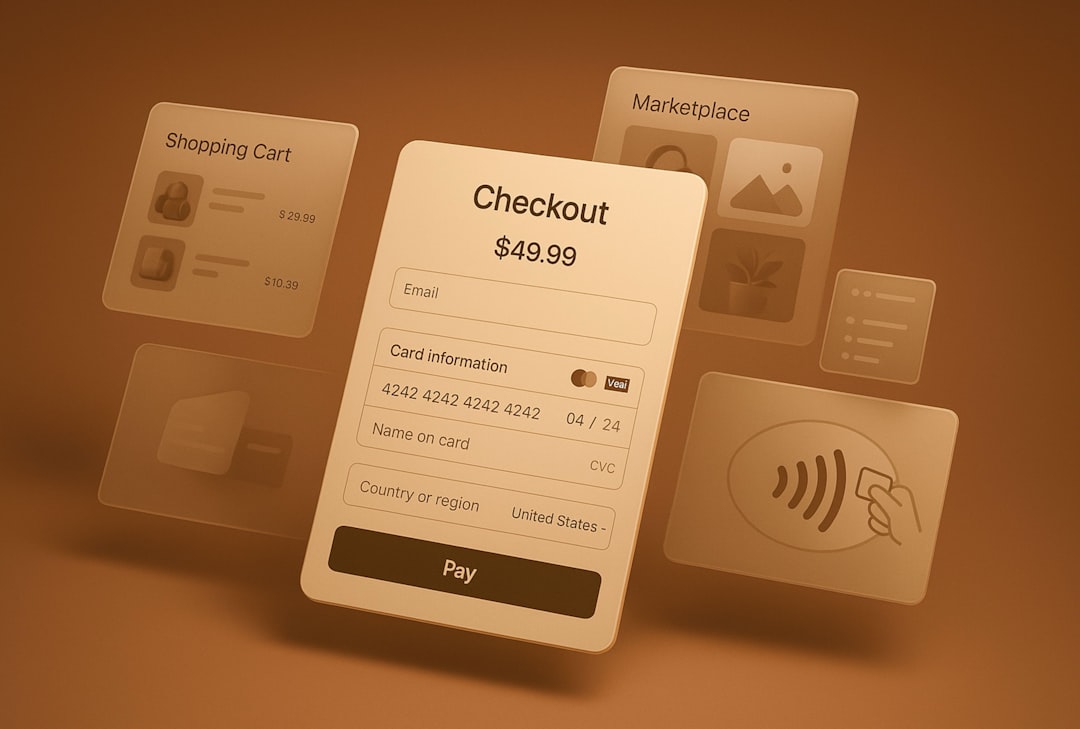
Follow these steps:
- Visit the Restaurant’s Official Website
Make sure you’re ordering directly through their Toast-powered system. - Add Items to Your Cart
Select pickup or delivery as available. - Proceed to Checkout
- Enter Gift Card Code
Look for a field labeled “Gift Card” or “Promo Code.” Enter the code exactly as shown. - Click Apply
The total should update automatically.
If the balance covers your full purchase, you won’t need to add another payment method unless required for incidentals.
Using a Toast Tab Gift Card with QR Code Table Ordering
Many modern restaurants allow you to scan a QR code at your table, browse the menu, and pay directly from your phone.
To use your gift card in this scenario:
- Scan the table’s QR code
- Add items to your virtual cart
- Proceed to digital checkout
- Select the gift card payment option
- Enter your gift card code
This method is especially convenient because everything happens digitally without needing to hand over your phone or card.
How to Check Your Toast Gift Card Balance
Keeping track of your remaining funds helps prevent checkout surprises. Ways to check your balance include:
- Online balance checker via the restaurant’s website
- In-store inquiry at the restaurant
- Calling the restaurant directly
- Checking your original gift card email (sometimes includes balance link)
Some Toast systems automatically display the remaining balance on your receipt after a transaction.
Common Issues and How to Solve Them
Even though Toast’s system is streamlined, occasional issues can arise.
Problem: Gift Card Not Accepted
Solution: Confirm the restaurant location participates. Some franchises operate independently.
Problem: Code Not Working Online
Solution: Double-check for typing errors. Codes are often case-sensitive.
Problem: Partial Balance Confusion
Solution: Ask the cashier to verify your remaining amount before finalizing payment.
Problem: Expired Card Concern
In many regions, gift cards do not expire by law, but promotional cards may have limitations. Review the fine print.
Tips to Maximize Your Toast Tab Gift Card
Want to stretch your value even further? Consider these ideas:
- Use during promotions: Combine with restaurant happy hours or special discounts.
- Split payments strategically: Use the gift card for food and pay separately for tips.
- Monitor balance after each visit: Keep a note in your phone.
- Join the restaurant’s loyalty program: Earn points even when paying with a gift card.

Advantages of Using a Toast Tab Gift Card
There’s more to this payment method than convenience. Here are some key benefits:
- Contactless payment compatibility
- Easy digital tracking
- No bank information required
- Great gifting option
- Works for dine-in, takeout, and sometimes delivery
Comparison: In-Store vs Online vs QR Redemption
| Feature | In-Store | Online | QR Table Ordering |
|---|---|---|---|
| Ease of Use | Very Easy | Easy | Very Easy |
| Balance Display | On Receipt | On Screen | On Screen |
| Contactless | Sometimes | Yes | Yes |
| Best For | Dine-In Guests | Takeout Orders | Modern Casual Dining |
Can You Reload a Toast Tab Gift Card?
This depends on the restaurant’s policy. Some establishments allow reloading, especially for loyal customers. Ask staff directly or check the restaurant’s website for options.
Can You Use Multiple Gift Cards at Once?
Many Toast systems allow multiple payment methods in a single transaction. You may be able to:
- Use multiple gift cards
- Combine a gift card with a credit card
- Split payments across guests
However, policies vary by location, so it’s always wise to confirm.
Final Thoughts
Using a Toast Tab gift card is refreshingly simple, whether you’re dining out with friends, ordering takeout after a long day, or enjoying a quiet coffee break. The integration between Toast’s POS system and restaurant checkout processes makes redemption smooth and quick.
By confirming where your card is accepted, checking your balance in advance, and understanding the redemption steps for in-store or online purchases, you can use your gift card with confidence. Instead of fumbling at checkout, you’ll know exactly what to do — and can focus on what really matters: enjoying great food and good company.
Ultimately, a Toast Tab gift card isn’t just a payment method. It’s an invitation to explore new restaurants, revisit favorites, and make dining experiences more enjoyable — one meal at a time.