

For many editors, filmmakers, YouTubers, educators, and small businesses, the first question about DaVinci Resolve is simple: is it actually free? The short answer is yes, but the more useful answer is that DaVinci Resolve comes in two versions: a very capable free edition and a paid edition called DaVinci Resolve Studio. Understanding the difference matters, because the free version is not a short trial or a stripped-down demo; it is a serious professional application with some advanced features reserved for Studio.
TLDR: DaVinci Resolve is free to download and use, and the free version includes professional editing, color grading, audio, visual effects, and export tools. It is not a temporary trial, and many creators can complete real commercial projects with it. However, the paid Studio version adds higher-end features such as advanced noise reduction, DaVinci Neural Engine tools, more GPU acceleration, higher resolution support, and specialized professional workflows.
What Is DaVinci Resolve?
DaVinci Resolve is a professional video editing and post-production application developed by Blackmagic Design. It combines several major production tools into one program: video editing, color correction, motion graphics, visual effects, audio post-production, and final delivery. Instead of switching between multiple applications, users can work inside one interface using dedicated pages such as Cut, Edit, Fusion, Color, Fairlight, and Deliver.
This all-in-one approach is one reason Resolve has become popular beyond traditional film and television work. Independent creators use it for YouTube videos, documentaries, weddings, short films, corporate videos, training content, and social media production. At the same time, it remains respected in professional color grading, where DaVinci systems have a long history in high-end post-production.

Is DaVinci Resolve Really Free?
Yes, DaVinci Resolve is genuinely free. The free version can be downloaded without paying a subscription fee or entering into a time-limited trial. You do not need to upgrade after 30 days, and basic exports are not automatically watermarked simply because you are using the free edition.
This is an important distinction. Many creative applications advertise a free version but restrict essential functionality, limit exports, or add branding to finished work. DaVinci Resolve’s free edition is different: it includes enough functionality for a complete editing workflow from import to final render. For many users, particularly those working in HD or Ultra HD, it may be all they need.
That said, “free” does not mean “identical to Studio.” The paid version, DaVinci Resolve Studio, is designed for advanced users, production companies, high-end colorists, and editors who need specialized features or better performance in demanding workflows.
What Features Are Included in the Free Version?
The free version of DaVinci Resolve is unusually generous. It includes core tools that many competitors reserve for paid plans. The following are among the most important features available without purchasing Studio:
- Professional timeline editing: You can cut, trim, arrange, ripple edit, slip, slide, and manage complex timelines with multiple video and audio tracks.
- The Cut page: This streamlined editing environment is useful for fast assembly, rough cuts, multicam-style workflows, and quick content creation.
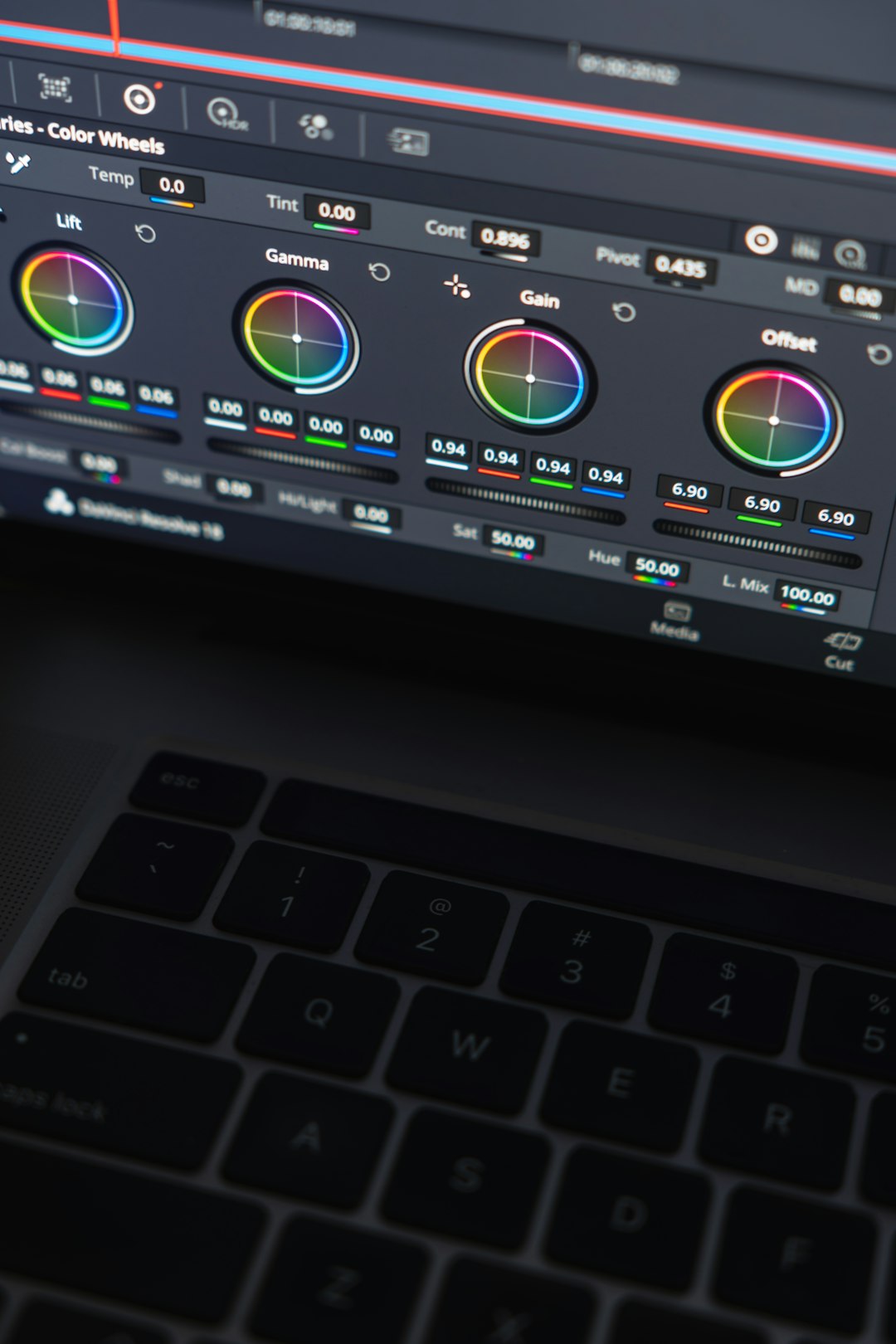
- Advanced color correction: Resolve’s Color page includes nodes, curves, wheels, qualifiers, power windows, tracking tools, LUT support, and many professional grading controls.
- Fusion visual effects: The free version includes node-based compositing, titles, motion graphics, keying, tracking, and many effects tools.
- Fairlight audio tools: Users get a serious audio workspace for mixing, EQ, compression, automation, dialogue cleanup, and sound design.
- Multicam editing: You can sync and edit multiple camera angles, which is valuable for interviews, podcasts, performances, and events.
- Export and delivery tools: Resolve can export common formats for online platforms, client review, broadcast preparation, and archiving.
- Cross-platform support: DaVinci Resolve is available for Windows, macOS, and Linux, although codec support and hardware behavior can vary by system.
For a no-cost application, this is a notable feature set. A beginner can learn serious editing fundamentals, while an experienced editor can complete polished work without immediately needing to buy anything.
What Are the Main Limitations of the Free Version?
The limitations of DaVinci Resolve Free are not always obvious at first, because the program feels complete. The differences tend to appear when projects become more demanding, involve advanced effects, require unusual formats, or need faster performance. The most important limitations include the following:
- Resolution and frame rate limits: The free version is generally intended for work up to Ultra HD delivery, while Studio supports higher resolutions and more demanding frame rates for professional cinema and large-format workflows.
- Limited access to advanced AI features: Many tools powered by the DaVinci Neural Engine, such as Magic Mask, Smart Reframe, advanced object isolation, and certain speed or tracking features, are reserved for Studio.
- No advanced noise reduction: Temporal and spatial noise reduction, a major tool for cleaning low-light footage, is one of the key Studio-only features.
- Some effects are Studio-only: Certain Resolve FX tools may require the paid version. If used in the free version, they may be unavailable or may produce a watermark until upgraded.
- Reduced GPU acceleration in some workflows: Studio can use hardware acceleration more extensively, depending on your system, codec, and graphics hardware.
- Professional format and codec differences: Support for some camera formats, 10-bit codecs, or accelerated encoding and decoding may vary between the free and Studio editions, as well as between operating systems.
- Advanced collaborative and facility-level features: Larger teams, post-production facilities, and high-end finishing environments may need Studio-specific tools and infrastructure support.
DaVinci Resolve Free vs Studio: Who Needs Which?
Most beginners should start with the free version. It is more than enough for learning editing, building a portfolio, producing YouTube videos, cutting short films, editing interviews, and creating social media content. Since the interface and workflow are largely the same as Studio, skills learned in the free version transfer directly if you upgrade later.
The Studio version becomes more attractive when your work depends on speed, efficiency, or advanced image processing. If you regularly edit 4K or higher-resolution footage, work with demanding codecs, need strong noise reduction, or depend on AI masking and object tracking, Studio can save significant time. For professional editors, time saved is often worth more than the purchase price.
Studio is also a better choice for colorists and filmmakers who need the highest-quality finishing tools. Noise reduction, HDR tools, advanced stereoscopic workflows, film grain, lens corrections, and other Studio features can matter greatly when delivering polished commercial work.
Does the Free Version Add Watermarks?
In normal use, DaVinci Resolve Free does not add a watermark to your exported videos. You can edit and export finished projects without Resolve branding on the image. However, there is one common exception: if you apply a Studio-only effect or feature in the free version, Resolve may show a watermark or restrict that effect until you upgrade.
This is different from the entire program being watermarked. If your export has a watermark, it is usually because you used a paid Studio effect, not because the free version always marks your videos. Checking the effects applied to your clips can help identify the cause.
Can You Use DaVinci Resolve Free for Commercial Work?
In practical terms, many creators and businesses use the free version for professional and commercial projects. The software does not prevent you from exporting client videos, monetized online content, corporate edits, or paid creative work. However, as with any professional software, users should review the current license terms from Blackmagic Design to ensure compliance with their specific use case and region.
From a workflow perspective, the key question is not whether the free version is “professional enough,” but whether it supports the technical requirements of the job. If a client requires a specific delivery format, high-resolution master, HDR workflow, noise reduction, or specialized codec support, Studio may be necessary.
How Much Does DaVinci Resolve Studio Cost?
DaVinci Resolve Studio is typically sold as a one-time purchase, rather than a monthly subscription. The exact price can vary by country, reseller, taxes, and promotions, but it has commonly been positioned around a few hundred dollars. Studio is also sometimes bundled with Blackmagic Design hardware, such as cameras, keyboards, or editing panels.
For users who dislike subscription models, this is a major advantage. Once purchased, Studio has historically included updates without the recurring monthly fees associated with many creative software platforms. Still, buyers should always check current terms before purchasing, because pricing and policies can change.
Is DaVinci Resolve Hard to Learn?
DaVinci Resolve is powerful, and that means it can feel complex at first. The interface includes many professional tools, and the terminology may be unfamiliar to beginners. However, the learning curve is manageable if you approach it step by step.
- Start on the Cut or Edit page and learn basic trimming, timeline organization, and exporting.
- Move to the Color page once you understand exposure, contrast, saturation, and basic correction.
- Use Fairlight gradually for audio cleanup, balancing dialogue, and adding music.
- Explore Fusion later if you need motion graphics, compositing, or advanced title work.
Because the free version is so complete, it is an excellent learning platform. You can gain real production experience without paying upfront, which makes it a low-risk way to evaluate whether Resolve suits your editing style.
When Should You Upgrade to Studio?
You should consider upgrading when a limitation is costing you time, reducing image quality, or preventing delivery. For example, if you frequently shoot in low light and need clean footage, Studio’s noise reduction may be valuable. If you create social media versions from widescreen videos, Smart Reframe can speed up resizing. If you need to isolate people or objects for color work, Magic Mask can be a major productivity tool.
Another reason to upgrade is performance. On suitable hardware, Studio can provide better acceleration for certain formats and effects. If you edit large projects, long timelines, or high-resolution footage, smoother playback and faster exports can justify the cost.
Final Verdict: Is DaVinci Resolve Free Good Enough?
Yes, DaVinci Resolve Free is good enough for a large percentage of users. It is not merely a beginner tool; it is a serious editing platform with professional-grade color, audio, visual effects, and delivery features. For creators working in common formats and standard resolutions, the free version may remain useful for years.
DaVinci Resolve Studio is best viewed not as a requirement, but as an upgrade path. It adds advanced tools for users who need more speed, higher-end finishing, AI-assisted workflows, and professional post-production capabilities. If you are starting out, download the free version, learn the workflow, and complete real projects. Upgrade only when your work clearly demands the additional features.
In short, DaVinci Resolve is genuinely free, and its free edition is one of the most capable no-cost video editing applications available. Its limitations are real, but they are mostly relevant to advanced users, demanding formats, and professional finishing workflows.