
Contract manufacturing can feel like a giant kitchen with many chefs. One team brings the recipe. Another team buys the ingredients. Another team cooks, packs, ships, and sends the bill. If the software is weak, the kitchen gets messy fast.
TLDR: Good contract manufacturing software helps you track jobs, materials, costs, quality, and delivery dates in one place. Look for tools that make work simple, clear, and fast. The best system should help your team avoid mistakes, protect profit, and keep customers happy.
Why Contract Manufacturing Software Matters
Contract manufacturing is all about trust. A customer trusts you to make a product the right way. On time. At the right cost. With the right quality.
That sounds simple. But it is not always easy.
You may handle many customers. Each one may have different rules. Each product may need different parts, steps, labels, tests, and documents. One tiny mistake can cause a big headache.
That is where contract manufacturing software comes in. It acts like your control room. It helps your team see what is happening. It keeps orders, inventory, production, quality, and money connected.
Think of it like a smart assistant. It does not drink coffee. It does not take lunch breaks. It just keeps things organized.
1. Easy Job and Work Order Management
Every contract manufacturing job has details. Lots of them.
- Who is the customer?
- What product needs to be made?
- How many units are needed?
- When is it due?
- What steps are required?
- What materials are needed?
Your software should make this easy to manage. You should be able to create work orders fast. You should also be able to update them without digging through ten screens.
Look for a system that shows job status clearly. For example: planned, in progress, on hold, complete, or shipped.
Simple status labels save time. They also stop the classic factory mystery: “Where did that order go?”

2. Bill of Materials Tracking
A bill of materials, or BOM, is the product recipe. It lists everything needed to make the item. Parts. Packaging. Labels. Raw materials. Sometimes even instructions.
Good software should let you create and manage BOMs with ease.
This is very important in contract manufacturing. Customers may send their own product designs. They may change them later. You need to know which version is correct.
Look for features like:
- Multi level BOMs for complex products.
- Revision control for product changes.
- Approved material lists for customer rules.
- Cost rollups to see total material cost.
Without strong BOM tracking, mistakes can sneak in. And mistakes love hiding in spreadsheets.
3. Inventory Management That Actually Helps
Inventory can be a hero or a villain. Too much inventory ties up cash. Too little inventory stops production.
Your software should show what you have, where it is, and what it is for.
This matters even more when working with customer owned materials. Some customers may send parts to you. Those parts may not belong to your company. You still need to track them like treasure.
Look for inventory tools that include:
- Real time stock levels
- Lot and serial tracking
- Warehouse location tracking
- Customer owned inventory controls
- Automatic reorder alerts
- Material allocation by job
The goal is simple. No more surprise shortages. No more mystery boxes. No more “I think it is on aisle 7.”
4. Production Scheduling
Production scheduling is like making a calendar for machines, people, and materials. It sounds easy until three rush orders arrive before lunch.
Great contract manufacturing software should help you plan work in a smart way. It should show capacity. It should show conflicts. It should help you move jobs when priorities change.
Look for drag and drop scheduling if possible. It makes planning feel less like a puzzle from outer space.
Useful scheduling features include:
- Machine availability
- Labor availability
- Material readiness
- Job priority settings
- Delivery date tracking
- Capacity planning
A good schedule helps your team answer the big question: Can we make this on time?
That question deserves a real answer. Not a shrug.
5. Quoting and Cost Estimating
Quotes are where profit begins. Or disappears.
If you quote too high, you may lose the customer. If you quote too low, you may win the job and lose money. That is not fun. That is just doing push ups in a rainstorm.
Your software should help estimate costs before the job starts.
It should include:
- Material costs
- Labor costs
- Machine time
- Outside services
- Setup costs
- Packaging costs
- Overhead
- Margin targets
Even better, the software should compare the estimate to the actual results later. This helps you learn. You can see where money was made. You can see where money ran away wearing tiny sneakers.
6. Quality Control Features
Quality is not a bonus. It is the job.
Your customers expect products that meet their specs. They may also require checks, tests, inspections, and certificates.
Contract manufacturing software should support quality control from start to finish.
Look for features like:
- Inspection plans
- Pass and fail tracking
- Nonconformance reports
- Corrective actions
- Supplier quality records
- Digital sign offs
- Certificate of analysis support
Quality tools help catch problems early. They also create proof. That proof matters during audits. It also matters when a customer asks, “Are you sure this was checked?”
With the right system, you can say, “Yes.” Then show the record in seconds.

7. Lot and Traceability Tools
Traceability means you can follow materials and products through the whole process. From supplier to production to shipment.
This is critical in many industries. Food. Beauty. Medical devices. Chemicals. Electronics. Automotive. The list goes on.
If something goes wrong, you need to know what was affected. Fast.
Good traceability features should let you answer questions like:
- Which supplier lot was used?
- Which jobs used this material?
- Which customers received the finished goods?
- Who worked on the job?
- What inspections were completed?
Traceability is like a breadcrumb trail. But cleaner. And with fewer birds.
8. Customer Specific Rules
In contract manufacturing, each customer may want things done their way. One wants special labels. One wants custom packaging. One wants extra testing. One wants reports in a very specific format because, well, humans are humans.
Your software should handle customer specific rules without chaos.
Look for options to store:
- Customer product specs
- Packaging rules
- Labeling rules
- Approved materials
- Pricing agreements
- Shipping instructions
- Required documents
This prevents your team from relying on memory. Memory is great for birthdays. It is not great for complex manufacturing rules.
9. Document Management
Manufacturing creates documents. So many documents. Product specs. Drawings. Recipes. Safety sheets. Certificates. Inspection forms. Purchase orders. Change requests.
If these documents live in random folders, trouble will visit.
Contract manufacturing software should store documents in the right place. It should connect them to customers, products, lots, jobs, and shipments.
Look for:
- File attachments
- Version control
- Approval workflows
- Search tools
- Access permissions
- Audit history
The best document system makes sure your team uses the current version. Not the old one named final final new latest use this one 2.pdf.
10. Purchasing and Supplier Management
You cannot make products without materials. Unless your factory has magic beans. Most do not.
Your software should help manage purchasing. It should suggest what to buy and when to buy it. It should connect purchase orders to jobs and inventory.
Useful purchasing features include:
- Purchase order creation
- Supplier price lists
- Lead time tracking
- Approved supplier lists
- Receiving records
- Supplier performance tracking
This helps reduce delays. It also helps your team avoid panic buying. Panic buying is expensive. It also makes spreadsheets sweat.
11. Shop Floor Data Collection
The shop floor is where the work happens. Your software should not ignore it.
Workers should be able to record activity easily. This may happen on tablets, barcode scanners, mobile devices, or workstations.
They should be able to track:
- Job start and stop times
- Labor hours
- Machine time
- Material usage
- Scrap
- Completed quantities
- Quality checks
The easier this is, the better the data will be. If the system is hard to use, people will avoid it. Then your reports become fiction. Not the fun kind with dragons.
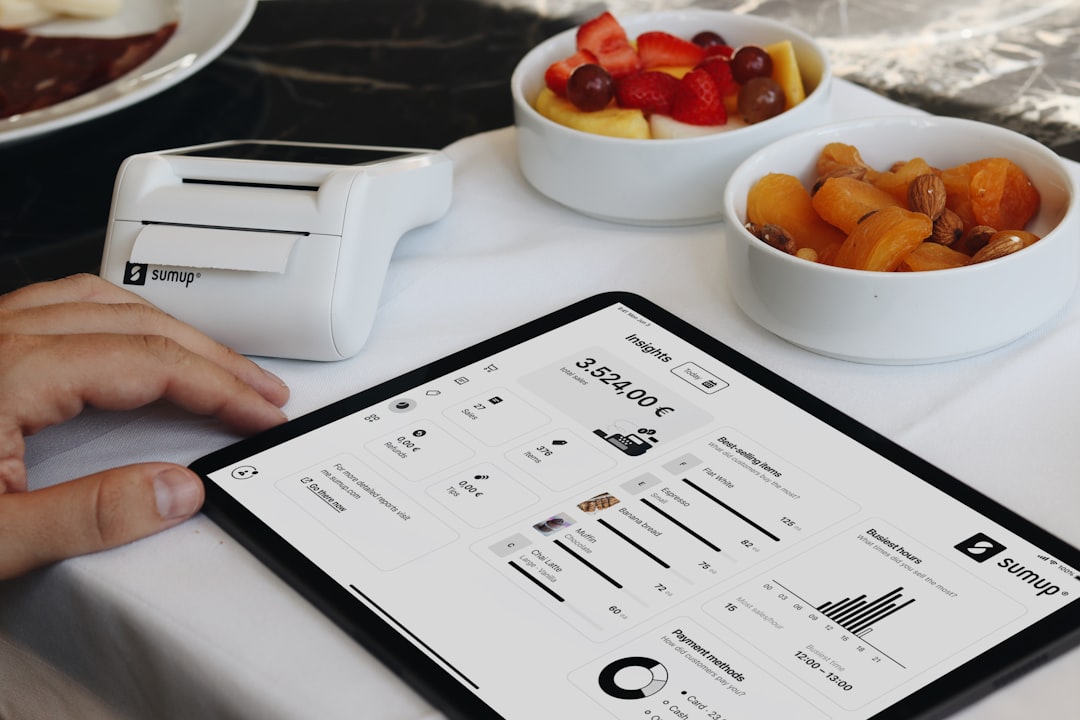
12. Real Time Reporting and Dashboards
Leaders need clear information. Not a mountain of numbers. Not a report that takes three days to build.
Good software should include dashboards. These should show what is happening now.
Common dashboard items include:
- Open orders
- Late jobs
- Production status
- Inventory shortages
- Quality issues
- Labor performance
- Profit by job
Reports should be easy to filter. By customer. By product. By date. By job. By location.
Real time reporting helps teams make better decisions. It also helps stop small issues before they grow teeth.
13. Integration With Accounting and ERP Tools
Manufacturing does not live alone. It connects to money. It connects to purchasing. It connects to sales. It connects to shipping.
Your contract manufacturing software should work well with your other systems. This may include accounting software, ERP tools, ecommerce platforms, shipping systems, or customer portals.
Integration reduces double entry. Double entry is boring. It also creates errors.
Look for systems with:
- API access
- Accounting integration
- Import and export tools
- Barcode system support
- EDI support if needed
The more your systems talk, the less your team has to copy and paste. That is a win.
14. Security and User Permissions
Not everyone needs to see everything. Some users need full access. Others only need their own tasks.
Good software should include strong permissions. You should control who can view, edit, approve, delete, or export information.
This is important for customer data. It is also important for pricing, formulas, product designs, and quality records.
Look for:
- Role based access
- Password policies
- Audit logs
- Data backups
- Secure cloud hosting or secure server options
Security is not glamorous. But neither is losing sensitive data.
15. Scalability and Flexibility
Your business may grow. Your software should not panic when it does.
Choose a system that can handle more users, more products, more jobs, and more locations. It should also adapt to your processes.
Contract manufacturing is not one size fits all. A food packer is different from an electronics assembler. A cosmetics maker is different from a metal fabricator.
Look for software that can be configured. Not so custom that every change costs a fortune. But flexible enough to fit your real world work.
Quick Checklist Before You Buy
Before choosing software, ask these simple questions:
- Is it easy for the team to use?
- Does it track jobs from quote to shipment?
- Can it manage BOMs and revisions?
- Does it support traceability?
- Can it handle customer specific rules?
- Does it include quality control?
- Can it show real time inventory?
- Does it connect with accounting?
- Are reports clear and useful?
- Will it grow with the business?
Final Thoughts
Contract manufacturing software should make work feel less wild. It should bring order to jobs, parts, people, quality, costs, and deadlines.
The best features are not just fancy buttons. They solve real problems. They help your team know what to make, what to buy, what to check, and what to ship.
Keep it simple. Look for tools that your team will actually use. Choose software that gives clear answers fast.
When the right system is in place, the factory runs smoother. Customers feel happier. Profits become easier to protect. And your team spends less time chasing information and more time making great products.