
Good SEO can feel like feeding a very picky robot. It wants fast pages. Clean links. Clear titles. Nice data. No weird surprises. The good news? You do not need a giant budget to make the robot happy. In 2026, many open source SEO tools can help you crawl, test, track, and improve your site.
TLDR: The best open source SEO tools for 2026 include Lighthouse, Matomo, Umami, SerpBear, SEO Panel, Greenflare, SEO Macroscope, Scrapy, Apache Nutch, OpenSearch, and Yoast SEO. Use them to check speed, track rankings, study visitors, crawl pages, and fix technical issues. Start with simple tools first. Then add the nerdy ones when your site grows.
Why Use Open Source SEO Tools?
Open source tools are like a community garden. Everyone can inspect the code. Many people can improve it. You can often host the tool yourself. That means more control over your data.
They are also great for teams that like to tinker. You can connect them to your own reports. You can automate boring jobs. You can build workflows that fit your site.
But here is the tiny warning label. Open source does not always mean easy. Some tools need setup. Some need servers. Some need a brave person who enjoys command lines.
1. Google Lighthouse
Best for: page speed, Core Web Vitals, accessibility, basic SEO checks.
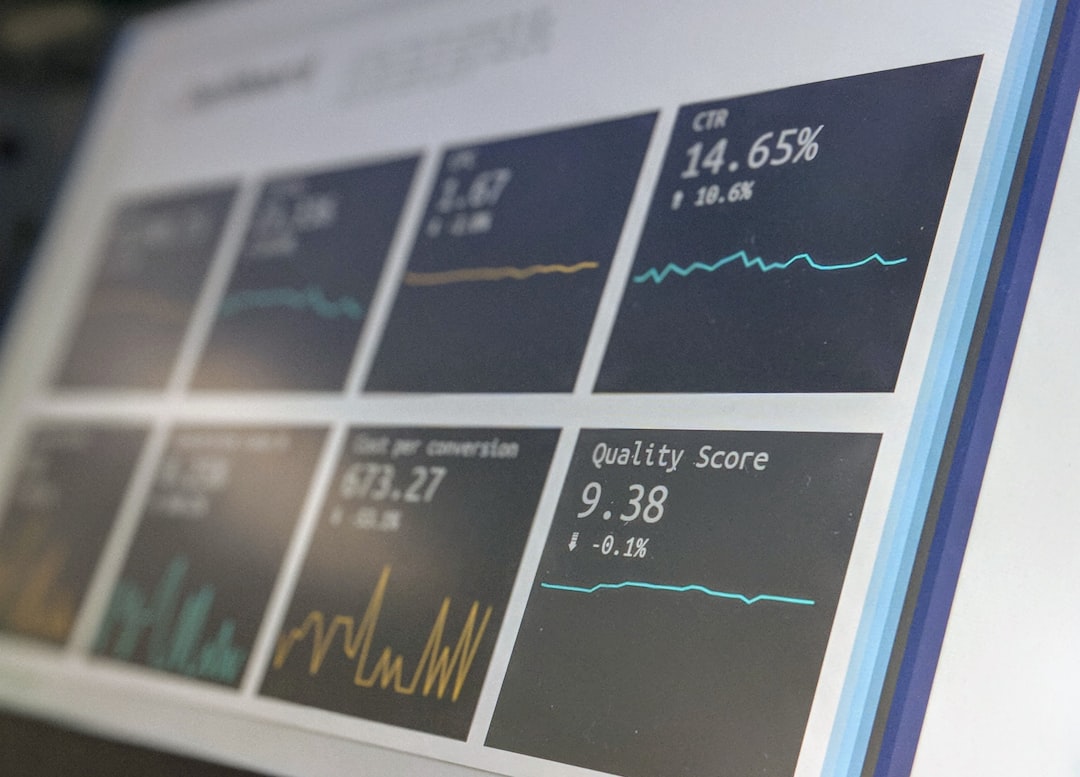
Lighthouse is one of the easiest tools to love. It is open source. It is built into Chrome DevTools. It checks your page and gives scores for performance, accessibility, SEO, and more.
It tells you if images are too large. It warns you about slow JavaScript. It checks meta tags and crawl basics. It also gives simple tasks to fix.
Fun use: Run it before and after every big website change. Treat it like a fitness test for your pages.
2. Matomo
Best for: privacy-friendly analytics.
Matomo is a strong open source analytics platform. It helps you see where visitors come from. It shows which pages work. It tracks goals, events, searches, and campaigns.
This is SEO gold. You can see which search pages bring traffic. You can spot pages with poor engagement. You can find content that deserves an update.
Matomo can be self-hosted. That is useful if privacy and data ownership matter to you. And in 2026, they matter a lot.
3. Umami
Best for: simple website analytics.
Umami is clean, light, and easy to read. It is open source and perfect for people who do not want a spaceship dashboard.
It shows page views, referrers, devices, countries, and user paths. For SEO, this helps you answer simple questions. Which pages get organic traffic? Which pages lose people? Which articles deserve more links?
If Matomo feels too big, try Umami. It is the friendly little scooter of analytics.
4. SerpBear
Best for: keyword rank tracking.
SerpBear is an open source rank tracker. You can monitor keywords and see where your pages appear in search results. It is self-hosted, which keeps your data close.
Rank tracking is not the whole SEO story. But it is still useful. If a money keyword drops, you want to know. If a blog post climbs, you want to celebrate. Preferably with snacks.
Use SerpBear for your most important keywords. Do not track every phrase on Earth. That way lies madness.
5. SEO Panel
Best for: an all-in-one SEO management dashboard.
SEO Panel is an open source SEO toolkit with several classic features. It can help with rank checking, site auditing, keyword work, and reporting.
It may not look as shiny as some paid tools. But it can still do useful jobs. It is especially handy if you want one central place for basic SEO tasks.
Think of it as the trusty toolbox in the garage. Not glamorous. Very useful.

6. Greenflare
Best for: visual site crawling.
Greenflare is an open source SEO crawler. It scans your site and helps you find technical issues. You can look for broken links, missing titles, missing descriptions, duplicate content signals, and more.
This is great for smaller sites and audits. A crawler helps you see your site the way a search engine might see it. That can be humbling. It can also be very funny. Websites hide strange things in corners.
Use it after redesigns, migrations, or big content updates.
7. SEO Macroscope
Best for: desktop technical SEO crawling.
SEO Macroscope is another open source crawler. It is built for checking many common SEO issues. It can review links, titles, headings, status codes, redirects, and page metadata.
It is especially useful if you like desktop tools. You can crawl a site and export data for reports. Then you can hand the list to your team and say, “Good news. We found the monsters.”
Start with broken links and missing titles. Those fixes are often quick wins.
8. Scrapy
Best for: custom SEO crawling and data collection.
Scrapy is not only an SEO tool. It is an open source web crawling framework. That makes it very powerful.
Want to crawl your product pages and check schema? You can. Want to compare title lengths across 20,000 URLs? You can. Want to collect internal link data in a special format? Also yes.
Scrapy is best for technical users. It needs code. But it can become a custom SEO machine.
9. Apache Nutch
Best for: large-scale crawling.
Apache Nutch is an open source web crawler. It is made for bigger crawling projects. It is not the tool you grab for a five-page bakery website.
Use Nutch when you need serious crawl control. It can support large research projects, search engines, and big site analysis.
If Scrapy is a clever robot dog, Nutch is a crawler tank. Powerful. Heavy. Not for casual walks.
10. OpenSearch
Best for: search data, logs, and internal site search.
OpenSearch is an open source search and analytics suite. For SEO, it can help you study logs and internal search behavior.
Server logs show how bots visit your site. This can reveal crawl waste, error spikes, and pages that search engines ignore. Internal search data shows what users want after they arrive. That can inspire new content.
This is more advanced. But for large sites, log analysis can be a treasure map.

11. Yoast SEO
Best for: WordPress on-page SEO.
Yoast SEO is a popular WordPress plugin with open source code. It helps with titles, meta descriptions, XML sitemaps, canonicals, schema, and content checks.
It is beginner-friendly. It gives clear suggestions. It is not magic, though. A green light does not mean your article will rank. It means you followed some solid basics.
Use it to avoid silly mistakes. Then focus on helpful content, good structure, and real user intent.
How to Pick the Right Tool
Do not install everything at once. That creates dashboard soup. Start with your main problem.
- Need faster pages? Use Lighthouse.
- Need traffic data? Use Matomo or Umami.
- Need ranking checks? Use SerpBear.
- Need technical audits? Use Greenflare or SEO Macroscope.
- Need custom crawling? Use Scrapy.
- Need huge crawl projects? Use Apache Nutch.
- Need log analysis? Use OpenSearch.
- Need WordPress SEO basics? Use Yoast SEO.
A Simple 2026 Open Source SEO Stack
Here is a simple setup for most small and medium websites:
- Lighthouse for speed and technical checks.
- Umami for simple analytics.
- SerpBear for important keyword tracking.
- Greenflare for monthly crawls.
- Yoast SEO if your site uses WordPress.
For bigger sites, add Matomo, Scrapy, and OpenSearch. If you are crawling at massive scale, look at Apache Nutch.
Final Thoughts
Open source SEO tools are not just “free alternatives.” They can be serious, flexible, and powerful. They let you own your data. They let you build your own process. They also help you learn how SEO really works.
In 2026, the best SEO teams will not just chase secret tricks. They will build clean, fast, useful websites. They will measure what matters. They will fix problems early. And yes, they will still argue about title tags in meetings.
Pick one tool from this list today. Run one test. Fix one issue. That is how good SEO grows. One small win at a time.