
Most people first encounter the term network security key when connecting a laptop, phone, printer, or smart TV to Wi-Fi. It may sound technical, but in everyday use it usually refers to the same thing most users call a Wi-Fi password. Still, the two terms are not always identical in every context, and understanding the difference can help you connect devices safely, troubleshoot access problems, and protect your home or business network.
TLDR: A network security key is the credential used to authenticate a device on a secured network; for most home users, it is simply the Wi-Fi password. For example, if your router label shows “WPA Key: BlueGarden742,” that is the key you enter when joining the Wi-Fi network. In a small office with 20 employees, changing this key after a staff member leaves can reduce unauthorized access risk significantly. The security key matters because weak or shared passwords remain one of the most common causes of preventable network exposure.
What Is a Network Security Key?
A network security key is a code used to verify that a device is allowed to connect to a network. When you select a secured Wi-Fi network and your device asks for a password, it is asking for the network security key. Without the correct key, the device cannot complete the authentication process.
In practical terms, the key protects your wireless network from unauthorized users. It helps prevent neighbors, visitors, attackers, or unknown devices from using your internet connection, viewing shared devices, or attempting to intercept traffic.
The phrase is commonly used by operating systems, routers, and technical support documentation. Windows, for example, may display a prompt saying “Enter the network security key” rather than “Enter the Wi-Fi password.” This difference in wording often causes confusion, even though the requested information is usually the same.

Wi-Fi Password vs Network Security Key: Are They the Same?
For most home and small business users, yes: the Wi-Fi password and the network security key are the same credential. If someone asks for your Wi-Fi password so they can connect to your wireless network, they are asking for the network security key.
However, the terms can differ depending on the environment:
- Wi-Fi password: A user-friendly term commonly used by consumers.
- Network security key: A more technical term used by devices, operating systems, and router settings.
- Passphrase: A longer password used with WPA or WPA2 encryption.
- Pre-shared key: A technical term often used in router configuration pages, especially for WPA Personal networks.
In enterprise networks, authentication may involve more than a simple shared password. Businesses may use certificates, usernames, passwords, identity servers, or device-based authentication. In that case, the network security key may not be a single shared Wi-Fi password, but part of a broader security system.
Why the Network Security Key Matters
Your network security key is one of the first barriers protecting your internet connection and local devices. A weak key can allow unauthorized access, while a strong one helps preserve privacy and performance.
If an outsider gains access to your Wi-Fi, they may be able to:
- Use your internet bandwidth, slowing down your connection.
- Attempt to access shared files, printers, cameras, or storage devices.
- Monitor unencrypted traffic on poorly secured networks.
- Use your connection for suspicious or illegal activity.
- Launch attacks against other devices on the same local network.
This does not mean every unauthorized connection leads to a serious breach, but it does create unnecessary risk. A strong security key, combined with modern encryption, is a basic but essential defense.
Types of Network Security Keys
The strength of a network security key depends partly on the encryption standard used by the router. Older standards are easier to compromise and should be avoided whenever possible.
- WEP: An outdated and insecure standard. WEP keys can often be cracked quickly and should not be used.
- WPA: An improvement over WEP, but now considered dated.
- WPA2: Still widely used and generally secure when paired with a strong password.
- WPA3: The newest mainstream standard, offering stronger protection against password guessing and improved security for modern devices.
If your router supports WPA3, it is usually the best option. If not, WPA2 Personal with a strong passphrase remains acceptable for many home networks. Avoid WEP completely, even if old devices support only that option.
Where to Find Your Network Security Key
If you need to connect a new device, there are several common places to find the network security key:
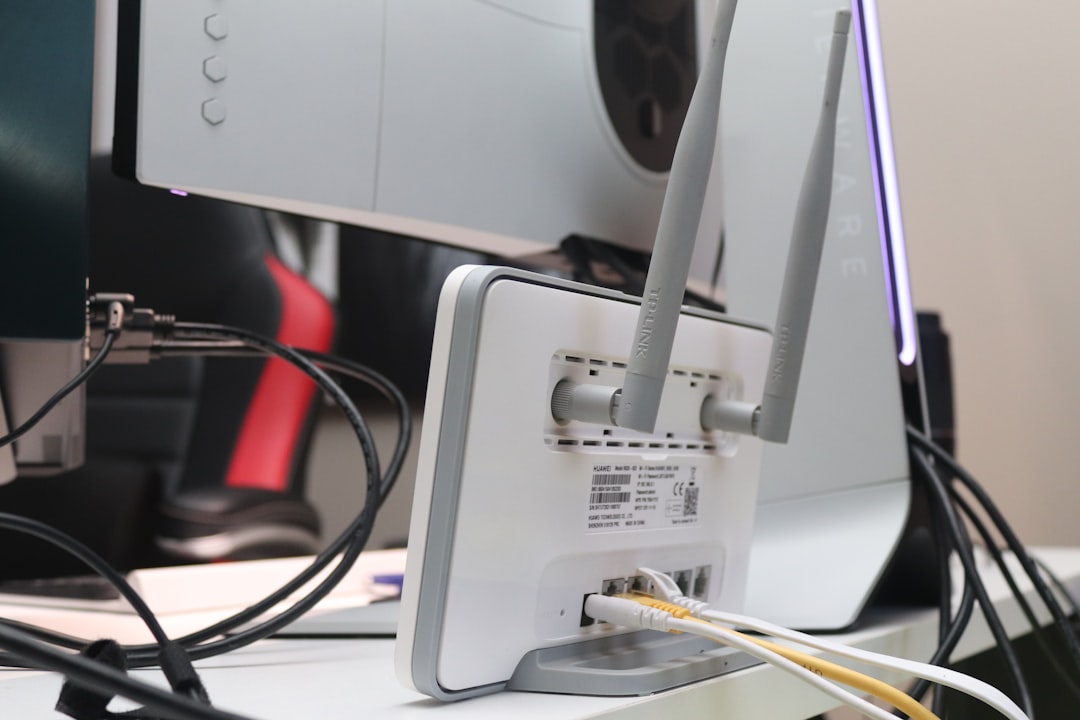
- Router label: Many routers have a sticker showing the default Wi-Fi name and password.
- Router admin page: You can log in to your router settings and view or change the Wi-Fi password.
- Internet provider documentation: Some providers include the default key in setup materials.
- Connected device settings: On some computers and phones, saved Wi-Fi passwords can be viewed after authentication.
- Network administrator: In a workplace or school, ask the authorized IT contact.
If you are using the default password printed on the router, consider changing it. Default keys may be unique, but they can still be exposed if the router label is visible or if the device was handled by others before installation.
How to Create a Strong Wi-Fi Password
A good network security key should be difficult to guess but manageable for authorized users. The goal is to make brute-force guessing and casual access attempts impractical.
Follow these guidelines:
- Use at least 12 to 16 characters; longer is better.
- Combine uppercase letters, lowercase letters, numbers, and symbols.
- Avoid personal details such as names, birthdays, addresses, or pet names.
- Do not use common passwords like password123, qwerty, or adminadmin.
- Consider a passphrase made from unrelated words, such as River!Candle7Orbit!Stone.
For a household, a long passphrase is often easier to share verbally and less likely to be mistyped. For a business, access should be controlled more tightly, and the key should be changed when employees, contractors, or temporary users no longer need access.
Common Problems and What They Mean
If your device says the network security key is incorrect, the cause is usually simple. The most common issue is a typing error, especially with similar characters such as O and 0, or l and 1. Passwords are also case-sensitive, so uppercase and lowercase letters must match exactly.
Other possible causes include:
- The Wi-Fi password was changed on the router but not updated on your device.
- You are trying to join the wrong network with a similar name.
- The router is using an encryption type your device does not support.
- The saved network profile on your device is outdated or corrupted.
In many cases, selecting Forget Network on the device and reconnecting with the correct key resolves the issue. If multiple devices cannot connect, check the router settings or restart the router before making further changes.
Best Practices for Protecting Your Network
A network security key is important, but it should be part of a broader security approach. To improve protection, use these practices:
- Change the default router admin password, not just the Wi-Fi password.
- Use WPA2 or WPA3 encryption whenever available.
- Create a guest network for visitors and smart home devices.
- Update router firmware to fix security vulnerabilities.
- Disable WPS if you do not need it, because it can weaken security on some routers.
- Review connected devices periodically and remove unknown ones.
For businesses, these steps should be supported by a formal access policy. Shared Wi-Fi passwords are convenient, but they become difficult to control as teams grow. Larger organizations should consider enterprise authentication, segmented networks, and centralized access management.
Final Thoughts
The difference between a Wi-Fi password and a network security key is mostly a difference in terminology. In everyday use, both usually refer to the password required to join a secure wireless network. The important point is not the label, but the strength and management of the credential.
A strong network security key helps protect your bandwidth, devices, and personal information. Combined with modern encryption, updated router settings, and careful sharing, it forms a reliable first line of defense for any Wi-Fi network.