
Great onboarding emails do more than say “welcome.” They reduce confusion, build confidence, and guide new users or customers toward the first meaningful action. Whether you run a SaaS product, ecommerce store, online course, subscription service, or professional platform, your first emails shape how people understand your brand and whether they come back.
TLDR: The best onboarding emails are timely, helpful, and focused on one clear next step. A new customer who receives a welcome email within 10 minutes of signup is more likely to engage than someone contacted days later; in many email programs, welcome emails can see open rates above 50%. For example, if a user signs up for a project management app, the first email should help them create their first project, not list every feature at once.
Why onboarding emails matter
Onboarding is the bridge between initial interest and long-term loyalty. A customer may have created an account, downloaded a free trial, subscribed to your newsletter, or made a first purchase, but that does not mean they fully understand your value yet. Your welcome sequence should answer three silent questions:
- Did I make the right choice?
- What should I do next?
- How will this help me solve my problem?
When done well, onboarding emails lower support requests, increase activation, and make your brand feel personal. When done poorly, they feel generic, overwhelming, or irrelevant.

What makes a strong welcome email?
A strong onboarding email is not just beautifully written. It is useful. The best examples usually include these elements:
- A warm greeting: Make the customer feel seen, not processed.
- A clear value reminder: Reinforce why they signed up or bought from you.
- One primary call to action: Avoid asking users to do five things at once.
- Helpful resources: Link to a guide, video, help center, checklist, or product tour.
- A human touch: Add a founder note, support contact, or plain-language reassurance.
Think of the first email as a host welcoming someone into a room. You would not immediately hand them a 40-page manual. You would say hello, show them where to begin, and make them feel comfortable.
Example 1: Simple welcome email for a new signup
This template works well for SaaS tools, communities, newsletters, and platforms where the user has just created an account.
Subject line: Welcome to [Product Name] — start here
Hi [First Name],
Welcome to [Product Name]! We’re excited to have you here.
You signed up to [briefly state the main benefit, such as “organize your team’s projects in one place” or “build better habits with simple daily tracking”]. The best way to get started is to complete your first step today.
Your next step: [Create your first project / Set up your profile / Choose your preferences / Start your first lesson]
If you need help, just reply to this email. We’re here to make sure you get value as quickly as possible.
Glad to have you with us,
[Your Team Name]
Why it works: It is short, focused, and action-oriented. Instead of explaining every feature, it directs the user to one important action.
Example 2: New customer email after a first purchase
For ecommerce or digital product businesses, onboarding begins after the sale. The customer wants reassurance: Was my order received? What happens next? How do I use what I bought?
Subject line: Thanks for your order, [First Name] — here’s what happens next
Hi [First Name],
Thank you for your purchase! We’ve received your order and are getting it ready.
Here’s what you can expect:
- Order confirmation: Your order number is [Order Number].
- Shipping or access: You’ll receive [tracking details / download access / login instructions] soon.
- Support: If anything looks wrong, contact us at [Support Email].
While you wait, here’s a quick guide to help you get the most out of your purchase: [Link]
Thanks again for choosing us,
[Brand Team]
Why it works: It reduces buyer anxiety and gives the customer confidence immediately after checkout.
Example 3: Product activation email
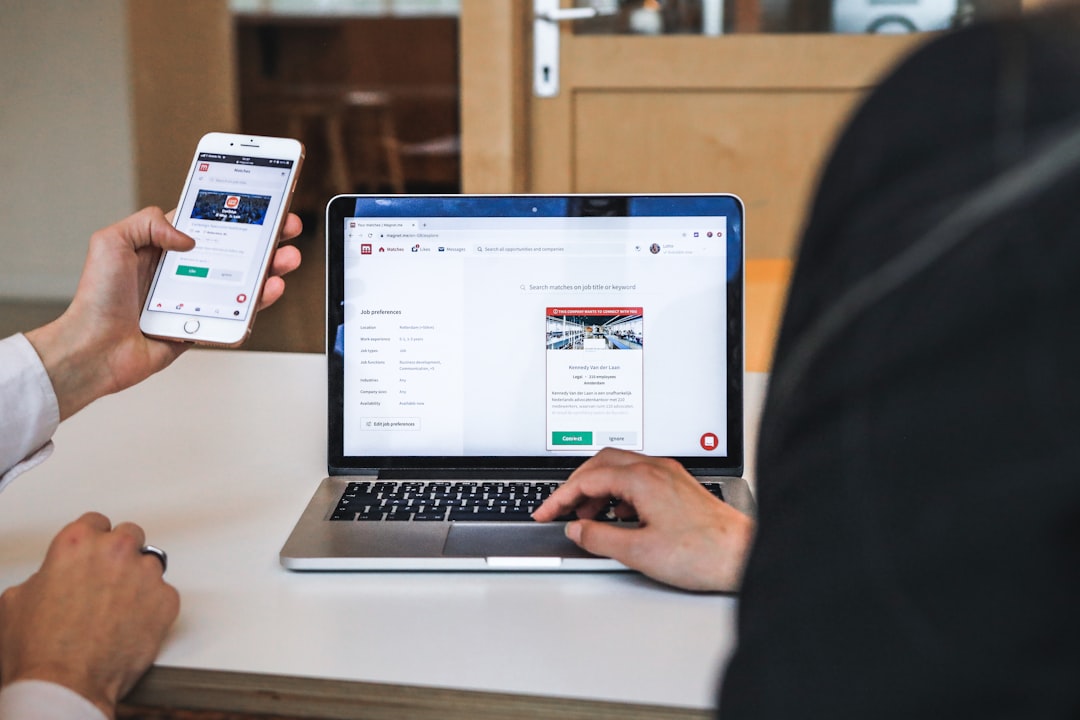
Activation emails are designed to move users from passive signup to meaningful usage. For many products, activation might mean inviting a teammate, uploading a file, completing a profile, or finishing a setup checklist.
Subject line: You’re one step away from getting results
Hi [First Name],
You’re almost ready to use [Product Name] to its full potential.
Users who complete [specific action] are more likely to see results in their first week. It only takes about 3 minutes.
Finish your setup here: [CTA Button]
Need inspiration? Here’s an example of how other customers use this step to [achieve benefit].
See you inside,
[Team Name]
Why it works: It creates momentum. The message is specific, quick, and benefit-driven.
Example 4: Educational onboarding email
Not every onboarding email should push a click. Sometimes your customer needs context, tips, or confidence before taking action. Educational emails are especially effective for complex products, financial services, health and wellness platforms, B2B software, and online learning.
Subject line: 3 tips to get more from [Product Name]
Hi [First Name],
Getting started is easier when you know what matters most. Here are three quick tips to help you make progress:
- Start small: Focus on one goal or use case first.
- Use the template: Save time by starting with [template/resource name].
- Check your progress: Review [dashboard/report/lesson tracker] after a few days.
If you want a deeper walkthrough, we created this short guide for new users: [Link]
Small steps lead to better results.
[Team Name]
Why it works: It gives value before asking for more commitment. Customers appreciate brands that educate instead of only sell.
Example 5: Personal founder or team welcome
A personal welcome can be powerful, especially for startups, service businesses, communities, and premium products. It helps customers feel connected to real people behind the brand.
Subject line: A quick welcome from our team
Hi [First Name],
I wanted to personally welcome you to [Company Name].
We built this because [brief mission statement]. Our goal is to help you [customer outcome], without making the process complicated.
Over the next few days, we’ll send a few short emails to help you get started. For now, the best thing to do is [one simple action].
If you have a question, reply directly. I read every message.
Best,
[Founder or Team Member Name]
Why it works: It feels human. Even if automated, it creates trust when written honestly and simply.
How to structure an onboarding email sequence
A single welcome email is useful, but a sequence is often stronger. A typical new customer onboarding flow might look like this:
- Email 1: Immediate welcome — confirm signup or purchase and provide the first step.
- Email 2: Value reminder — explain the main benefit and show a simple use case.
- Email 3: Activation prompt — encourage the key action that predicts success.
- Email 4: Education — share tips, tutorials, FAQs, or best practices.
- Email 5: Social proof — include a testimonial, case study, or customer result.
- Email 6: Check-in — ask if they need help and invite a reply.
Spacing matters. For most businesses, sending emails over 7 to 14 days works better than overwhelming users in the first 24 hours. The goal is to guide, not chase.
Best practices for better onboarding emails
Use these guidelines to improve performance and customer experience:
- Segment your audience: A free trial user, paid customer, and newsletter subscriber should not receive the exact same message.
- Write clear subject lines: Clever is fine, but clarity usually wins.
- Personalize when useful: Use names, goals, industries, or product choices when they add relevance.
- Keep each email focused: One email should have one main purpose.
- Measure activation, not just opens: Track clicks, completed setup steps, repeat visits, purchases, or replies.
- Use plain language: Avoid jargon and explain benefits in customer-friendly terms.
Common mistakes to avoid
Many onboarding emails fail because they try to do too much. Avoid sending a giant feature list, using a cold corporate tone, or making the customer search for the next step. Also, do not wait too long. A welcome email sent immediately feels helpful; one sent a week later feels disconnected.
Another mistake is focusing only on your company. Customers care less about what your product has and more about what it helps them do. Replace “We offer advanced reporting tools” with “See which campaigns are driving the most revenue in one dashboard.”
Final thoughts
Onboarding emails are your first real conversation with a new customer. The best templates are warm, practical, and focused on progress. If you welcome people clearly, show them the next step, and support them at the right moments, you turn early interest into lasting engagement. Start with one strong welcome email, build a thoughtful sequence around it, and keep improving based on what customers actually do.