
Protect SEO during a website redesign by treating the rebuild like a controlled migration, not a design project with SEO added at the end. Before anyone changes templates, platforms, URLs, content, or navigation, create a full inventory of what already ranks, earns clicks, attracts links, and converts. The ugly truth is that most redesign ranking drops are not caused by the new design. They come from missing redirects, stripped content, blocked crawlers, broken internal links, and technical signals that were quietly removed.
TLDR: Keep high-value URLs stable where possible, map every changed URL to a relevant destination, and crawl the staging site before launch. For example, if a site with 420 indexed URLs changes 180 of them without one-to-one redirects, even a 15% traffic loss can mean thousands of missed visits per month. A B2B company that preserved its top 50 organic landing pages, migrated metadata, and tested redirects before launch recovered 96% of organic traffic within three weeks. Skip the planning, and you may spend months fixing damage that took one deploy to cause.
Start with a pre-redesign SEO audit
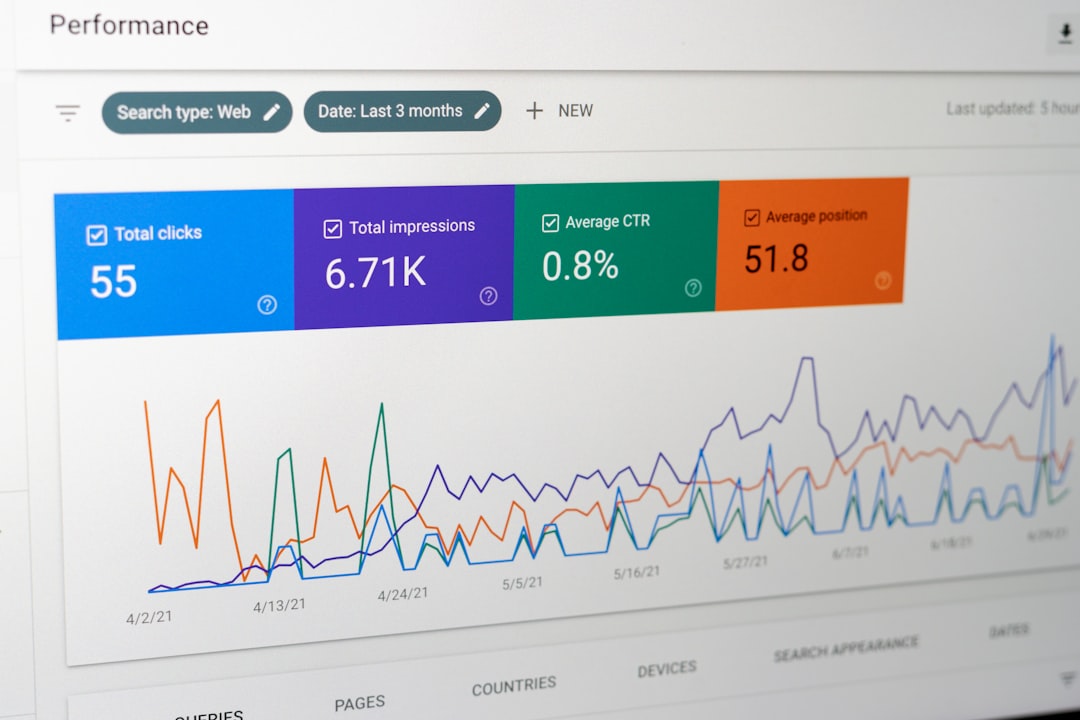
A redesign should begin with evidence. Export data from Google Search Console, analytics, rank tracking tools, crawling software, backlink tools, and your CMS. You need to know which pages matter before someone decides they are “old” and deletes them.
Build a spreadsheet with these fields:
- Current URL
- Organic sessions from the last 6 to 12 months
- Keywords and average position
- Backlinks and referring domains
- Conversions or assisted conversions
- Index status
- Canonical URL
- Meta title and description
- H1 and main content notes
It drives me crazy when teams spend weeks debating button colors but never export the top landing pages. That one missing step can turn a clean launch into a traffic mess by Monday morning.
Decide which URLs must stay
Stable URLs are safer than changed URLs. If a page already ranks, has backlinks, and serves the same search intent, keep its URL. A redesign does not require a full URL restructure. Cleaner does not always mean better.
Change URLs only when there is a clear reason, such as:
- A platform constraint that cannot be avoided
- A messy legacy structure that hurts scaling
- Multiple weak pages being merged into one stronger page
- A product, service, or category taxonomy change
- Old parameters or duplicate paths causing index bloat
If URLs do change, do not rely on memory or guesses. Create a URL mapping document. Each old URL needs a new destination. The match should be as close as possible in topic and intent.
Build redirects like they matter, because they do
Redirects protect users, rankings, and link equity. Use 301 redirects for permanent moves. Avoid redirect chains such as Page A to Page B to Page C. They waste crawl budget and slow users down. Redirect each old URL straight to the final new URL.
Your redirect map should include:
- Old URL
- New URL
- Status code
- Redirect type
- Page purpose
- Priority level
- Testing status
Never send every removed page to the homepage. Search engines may treat that as a soft 404. Users hate it too. If an old product is gone, send it to the nearest category, replacement product, or useful guide. If there is no honest match, a custom 404 page may be better.

Protect content that already performs
Redesigns often cut content to “make pages cleaner.” Sometimes that helps. Often, it removes the exact text that allowed the page to rank. If a page gets traffic for comparison terms, specs, FAQs, locations, use cases, or long-tail phrases, do not remove those sections without a plan.
Before rewriting a page, check which queries bring impressions and clicks. Then preserve the useful parts. You can improve layout and clarity without gutting the substance.
Watch these content risks:
- Shorter pages that no longer answer search intent
- Missing FAQs that used to win long-tail clicks
- Changed headings that remove keyword context
- Deleted internal links from high-authority pages
- Thin category pages with no supporting copy
- Images replacing text, leaving crawlers with less context
Modern design can still include useful content. Put summaries near the top. Add tabs if needed, but make sure content is visible in the HTML. Use concise copy, not empty placeholders.
Move technical SEO signals carefully
Technical SEO is easy to break during a rebuild. Expect to waste time on tiny settings that should have been obvious. A single forgotten noindex tag or blocked folder can sink an otherwise strong launch.
Check these signals before going live:
- Title tags are migrated or improved, not randomly replaced
- Meta descriptions are present on key pages
- Canonical tags point to the correct final URLs
- Robots.txt does not block important sections
- Noindex tags are removed from production pages
- XML sitemaps include only indexable final URLs
- Structured data is valid and still present
- Hreflang works if the site targets multiple languages or regions
- Pagination and faceted pages are controlled
- 404 pages return the correct 404 status
Also test Core Web Vitals. New sites often look better but load slower. Huge hero images, third-party scripts, animation libraries, and bloated themes can add seconds. Even an extra 1.5 seconds on mobile can hit conversions and engagement.
Crawl staging before launch
The staging site is your warning system. Crawl it with the same seriousness as the live site. Compare old and new crawls. Look for missing pages, broken links, duplicate titles, incorrect canonicals, orphan pages, and blocked resources.
Be careful with staging protection. Staging should be blocked from indexing, but those blocks must not move to production. This happens more than anyone wants to admit. Someone copies the robots.txt file, launches, and then wonders why impressions fall off a cliff.

Plan the launch window
Do not launch right before a holiday, major campaign, investor report, or product release. Pick a quiet window. Make sure developers, SEO staff, analytics owners, and content editors are available for quick fixes.
On launch day, test the essentials immediately:
- Important redirects return 301
- Top landing pages return 200
- Robots.txt allows crawling
- Canonical tags are correct
- Analytics and conversion tracking fire correctly
- Forms, checkout, search, and filters work
- XML sitemap is live and submitted
- No staging URLs appear in internal links
Monitor hard after launch
Ranking movement is normal after a redesign. Panic is not useful, but silence is worse. Track data daily for the first two weeks, then weekly for at least two months.
Watch:
- Organic clicks and impressions
- Index coverage reports
- Top page traffic
- 404 errors
- Redirect errors
- Conversion rate
- Crawl stats
- Keyword groups, not just a few vanity terms
If traffic drops, segment first. Did all organic traffic fall, or only blog posts? Did mobile drop more than desktop? Did one template type fail? Fast diagnosis beats broad guessing.
Do not rebuild your way into irrelevance
A website redesign can improve trust, speed, conversion, and brand perception. It can also erase years of search growth if SEO signals are treated as disposable. The safest rebuild keeps what already works, improves what is weak, and tests every major change before launch.
The rule is simple: preserve URLs when you can, redirect with care when you cannot, protect valuable content, and validate technical signals before users and crawlers arrive. That is how you launch a better site without sacrificing the rankings that helped people find it in the first place.