

Protect your SaaS stack first by locking down identity, access, and data sharing. Most growing companies do not get hacked through movie-style break-ins. They get hit through weak passwords, forgotten user accounts, messy permissions, and one rushed click on a fake login page.
TLDR: Start with MFA, single sign-on, role-based access, backups, logging, and staff training. A 75-person startup using 22 SaaS tools can cut risky logins by 60% or more by turning on MFA and removing old accounts each month. For example, if five ex-contractors still have access to your CRM, that is five open doors. Close them before someone else walks in.
Why SaaS security gets messy fast
SaaS tools are great. They are quick to buy. Easy to test. Fun to share.
Then one day, your company has 40 apps. Sales has one set. Marketing has another. Finance has tools nobody else has seen. Someone signed up with a personal email. Someone else shared a password in chat. Great. Now the “simple” tool stack has turned into a junk drawer with billing attached.
Honestly, it feels like every app wants admin rights, ten browser tabs, and your firstborn report export. That is why SaaS security needs rules. Simple rules. Boring rules. Rules that save your skin.

1. Turn on MFA everywhere
Multi-factor authentication, or MFA, is your first big win. It means users need more than a password to log in. They may need an app code, hardware key, or biometric check.
Passwords get stolen. People reuse them. People also choose passwords like Summer2025! and feel clever. Attackers know this game.
Use MFA for:
- Email accounts
- CRM systems
- Finance tools
- HR platforms
- Cloud storage
- Admin dashboards
For high-risk accounts, use hardware security keys. They are small. They are cheap. They stop many phishing attacks cold.
2. Use single sign-on
Single sign-on, or SSO, lets staff use one secure login for many apps. It also helps IT control access from one place.
Without SSO, every app becomes its own little island. Different passwords. Different settings. Different users. Expect to waste time hunting for who has access to what.
With SSO, you can:
- Disable accounts faster
- Apply MFA in one place
- Track logins better
- Reduce password reuse
- Make onboarding easier
When someone leaves the company, one click should shut the door. Not twelve clicks across twelve apps. Not a two-week treasure hunt.
3. Give people only the access they need
This is called least privilege. The idea is simple. People should only access the tools and data needed for their job.
Your intern does not need admin access to billing. Your sales rep does not need payroll files. Your designer does not need production database exports.
Set up roles like:
- Admin: Full control, very few people
- Manager: Team-level access
- User: Regular daily access
- Read only: View access, no changes
Review these roles every month. Yes, every month. It sounds dull. It is far less dull than explaining a data leak to customers.
4. Remove old users right away
Old accounts are a security mess. Former staff. Past vendors. Trial users. Contractors from six months ago. They pile up quietly.
Create a clean offboarding checklist. Keep it short. Use it every time.
- Disable the user in SSO
- Remove app-specific accounts
- Transfer file ownership
- Rotate shared passwords
- Revoke API keys
- Check admin roles
It drives me crazy when a company cancels someone’s email but leaves their project management access alive. That is not offboarding. That is wishful thinking.
5. Watch your app permissions
Many SaaS tools connect to each other. Your calendar links to your meeting app. Your CRM links to your email. Your support tool links to your chat system.
This is useful. It can also be risky.
Some apps ask for too much access. They want to read all files. Edit contacts. Send email. View customer records. Why? Sometimes there is no good reason.
Before approving a connection, ask:
- What data does this app need?
- Can it edit or only view?
- Who approved it?
- Is the vendor trusted?
- Can we remove it later?

6. Back up the data that matters
Many teams think SaaS data is always safe because it lives in the cloud. That is risky thinking.
SaaS vendors protect their systems. They may not protect you from every mistake. A user can delete records. A bad sync can overwrite files. A rogue employee can wipe shared folders.
Back up key data from:
- Cloud drives
- CRM records
- Code repositories
- Accounting tools
- Customer support systems
Test restores too. A backup you never test is just a hopeful folder with a fancy name.
7. Turn on logs and alerts
Logs tell you what happened. Alerts tell you when something weird is happening now.
Track events like:
- Failed login spikes
- Logins from odd locations
- New admin users
- Large file downloads
- Permission changes
- Disabled MFA
Start simple. You do not need a giant security center on day one. You do need alerts for the scary stuff.
Send alerts to a place someone checks. Not an inbox nobody opens. Not a Slack channel muted since 2022.
8. Train staff without boring them to tears
Security training works best when it is short and practical. Nobody wants a 90-minute video with stock music and fake smiles.
Teach people how to spot:
- Fake login pages
- Urgent payment requests
- Strange file links
- Impersonation messages
- QR code scams
Run quick phishing tests. Share examples. Praise people who report suspicious messages. Make security feel like a team sport, not a blame game.
9. Check vendors before you trust them
Every SaaS vendor becomes part of your risk. So ask questions before you add another tool.
Look for:
- SOC 2 or ISO 27001 reports
- Clear data encryption
- Admin controls
- MFA support
- Data export options
- Incident response policies
- Clean deletion terms
If a vendor cannot answer basic security questions, pause. Pretty dashboards do not protect customer data.
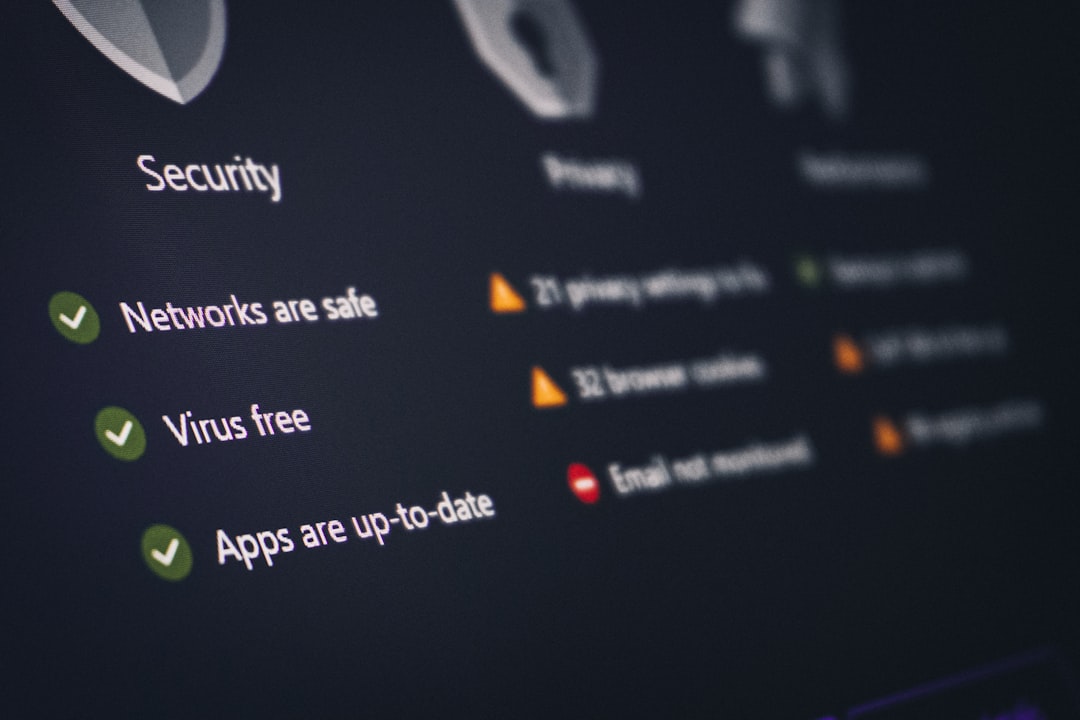
10. Build a simple SaaS security routine
Security should not depend on heroics. It needs a routine. Make it boring. Boring is good here.
Try this monthly checklist:
- Review active users
- Remove stale accounts
- Check admin permissions
- Review connected apps
- Export audit logs
- Test one backup restore
- Review security alerts
Try this quarterly checklist:
- Run phishing training
- Review vendor security documents
- Update incident response contacts
- Check insurance needs
- Review data retention rules
What to do first this week
If your SaaS security is messy, do not panic. Start with the doors that attackers try first.
- Turn on MFA for every key app.
- Create an app inventory with owners and admins.
- Remove old accounts from the top ten tools.
- Set up SSO for core systems.
- Review admin rights and cut them down.
Growing companies move fast. That is fine. Just do not let your SaaS tools grow like weeds. Keep access tight. Keep logs visible. Keep backups ready. Keep people trained.
Good SaaS security is not magic. It is a set of small habits. Done often. Done early. Done before the angry customer email arrives.