
Live shopping works best when it feels like a friendly product demo, a chat, and a checkout lane all in one place. Show the product. Answer real questions. Make buying simple. That is the whole game.
TLDR: Live shopping lets people watch a video, ask questions, and buy products without leaving the stream. A skincare brand, for example, might host a 30-minute live show, demo three products, answer 80 viewer questions, and offer a 15% code during the last 10 minutes. If 1,000 people watch and 6% buy, that is 60 orders from one event. The secret is simple: useful demos, clear offers, and fast checkout.
What Is Live Shopping?
Live shopping is online selling through live video. A host presents products in real time. Viewers watch, comment, ask questions, and click to buy.
Think of it as a mix of TV shopping, social media, and e-commerce. But with better chat. And fewer awkward studio smiles.
It can happen on a website, app, social platform, or marketplace. The format works for beauty, fashion, food, electronics, home goods, fitness gear, toys, and even cars. If a product needs showing, live shopping can help.
What Is Shoppable Video?
Shoppable video is video with clickable products inside it. A viewer sees a shirt, lipstick, blender, or candle. They tap. They buy.
It can be live or recorded. A recorded video might sit on a product page. A live video might include pop-up product cards during the show.
The goal is to remove friction. Nobody wants to pause a video, search a product name, guess the right shade, and then hunt for checkout. Honestly, it feels like making a customer solve a tiny escape room.
Shoppable video fixes that. The product is right there. The price is clear. The button is ready.
Why Live Shopping Converts
Most product pages are quiet. They show photos, specs, and reviews. That helps. But buyers still wonder things.
- Does the fabric stretch?
- Is the pan really nonstick?
- How big is the bag on a real person?
- Will this foundation match warm skin tones?
- Is this gadget easy to set up?
Live shopping answers those questions on the spot. That builds trust fast.
It also adds urgency. A limited code. A bonus gift. A low-stock alert. A live-only bundle. These small nudges can move people from “maybe later” to “fine, add to cart.”
The best part is the human feel. A host can laugh, mess up, try again, and show the product from weird angles. That is useful. Polished ads often hide too much.
The Main Parts of a Good Live Shopping Event
A strong live shopping show has a few simple parts.
- A clear theme: “Summer skincare under $40” is better than “Random products we sell.”
- A warm host: The host should talk like a person, not a brochure.
- Real product demos: Show size, texture, fit, sound, speed, or results.
- Live chat: Viewers need a place to ask questions.
- Clickable product cards: Buying should take seconds.
- A simple offer: One code. One bundle. One clear reason to buy now.
Do not cram 45 products into 20 minutes. That feels like a panic attack with prices. Pick fewer items. Give each one room to shine.
Product Demonstrations That Actually Help
A product demo should answer the buyer’s silent doubts.
For clothing, show fit on different bodies. Sit down. Move around. Turn to the side. Mention height and size. This is the stuff shoppers want.
For beauty, show texture and finish. Use close-ups. Compare shades. Show the product under normal light, not just perfect studio light.
For tech, show setup. Start from the box if you can. People fear complicated steps. Make it feel easy.
For food, show the bite. Show the crunch. Show the steam. Yes, this matters.

It drives me crazy when a demo skips the most obvious question. If you sell a backpack, show what fits inside. If you sell a vacuum, show it picking up crumbs. If you sell a lamp, turn it on in a normal room.
Viewer Engagement: Keep the Chat Alive
Live shopping is not a lecture. It is a two-way street.
Ask questions early. Try these:
- “Where are you watching from?”
- “Which color should we try first?”
- “Do you want a close-up?”
- “Should we test this with water?”
- “Drop your skin type in the chat.”
Use polls too. People love clicking. It is low effort and fun.
Answer comments by name when possible. “Maya asked if this runs small.” That tiny detail makes the stream feel personal.
Have a moderator if the audience is large. The host cannot demo, read every comment, fix audio, and pin links at the same time. Expect to waste time on chaos if one person is doing it all.
How to Plan a Live Shopping Show
Start with a goal. Do you want sales, product education, list growth, or customer feedback?
Then pick a format.
- Launch show: Great for new products.
- How-to class: Best for beauty, fitness, food, and crafts.
- Flash sale: Good for clearing stock.
- Influencer pick list: Strong for fashion and lifestyle.
- Ask me anything: Useful for complex products.
Build a short run sheet. Keep it simple.
- Welcome viewers.
- Explain the offer.
- Demo product one.
- Answer questions.
- Demo product two.
- Show bundle or comparison.
- Repeat the offer.
- Close with a final reminder.
Rehearse the hard parts. Test sound. Test links. Test lighting. Test checkout. A broken buy button can ruin a great show in 12 painful seconds.
How to Increase E-Commerce Conversion
Conversion is not magic. It is clarity plus trust plus speed.
Use these simple fixes:
- Pin the current product: Viewers should never wonder what is being shown.
- Repeat key details: Price, sizes, colors, shipping, and returns.
- Show social proof: Mention ratings, reviews, or best-seller status.
- Use short offers: “15% off until the stream ends” is easy to understand.
- Reduce checkout steps: Fewer clicks means fewer lost buyers.
- Retarget viewers: Send reminders to people who watched but did not buy.
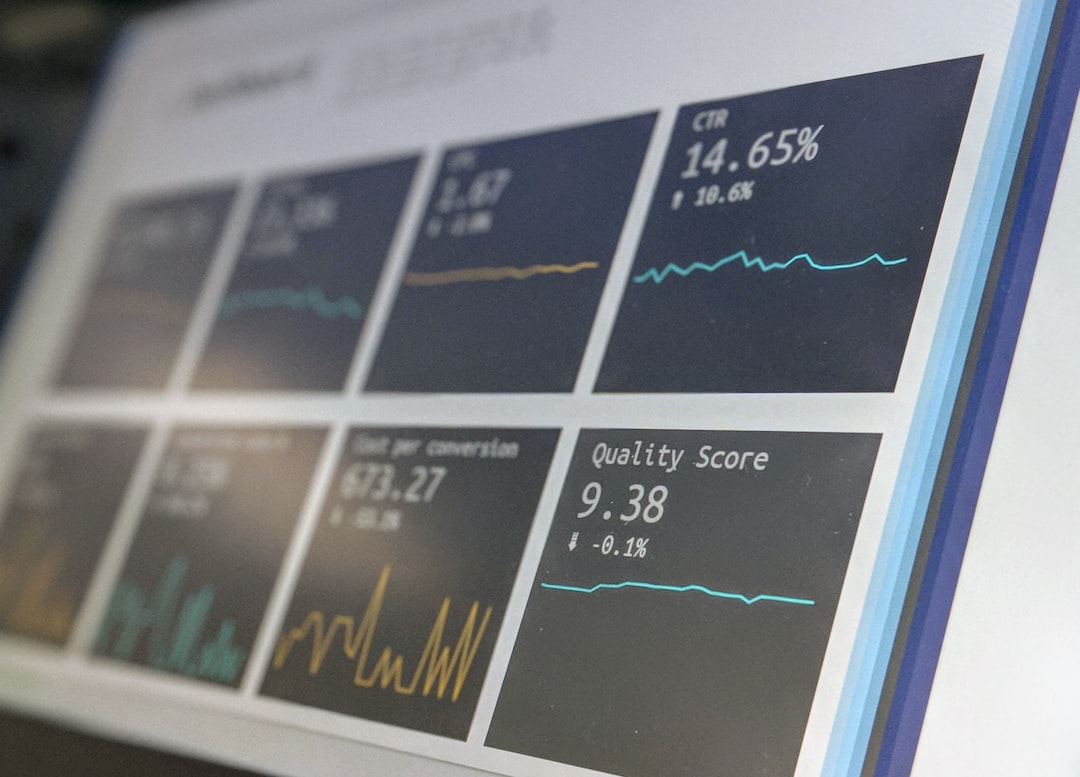
Track the right numbers. Watch total viewers, average watch time, chat rate, click rate, cart adds, purchases, revenue, and return rate.
Here is a simple example. A home brand gets 2,500 live viewers. The stream has a 22% product click rate. That means 550 people clicked. If 9% of clickers buy, that is about 50 orders. If the average order is $64, the event brings in $3,200.
Common Mistakes to Avoid
Do not make it too salesy. People can smell pressure. Teach first. Sell second.
Do not ignore comments. Silence makes viewers leave.
Do not use weak lighting. If people cannot see the product, they will not buy it.
Do not hide the price. That feels shady.
Do not forget replay value. Save the video. Cut it into clips. Add clips to product pages, emails, ads, and social posts.
Best Tools and Features to Look For
Your live shopping setup should make life easier, not harder. Look for:
- Product tagging
- Live chat
- Polls and reactions
- Discount code support
- Checkout links
- Replay hosting
- Viewer analytics
- Email or SMS follow-up
Keep the tech boring. Boring is good here. Fancy tools mean nothing if the stream freezes or checkout takes too long.
A Simple Live Shopping Script
Here is a quick script you can steal.
“Hi everyone. Today we are showing our three best travel bags. I’ll pack each one live, show the size on my shoulder, and answer questions. The code LIVE15 gives you 15% off during this stream. First up is the weekend bag. Let’s see if it fits shoes, jeans, a laptop, and all the random stuff we pretend we do not pack.”
Simple. Useful. A little fun. That is enough.
The Bottom Line
Live shopping turns passive browsing into a real conversation. It helps customers see products clearly. It answers doubts fast. It makes buying feel easy.
Start small. Pick five products or fewer. Use one host. Offer one clear deal. Watch the numbers. Then improve the next show.
If your product is easier to believe when people see it in action, live shopping is worth testing.