

A sales quota is the number a salesperson or team must hit in a set time. It might be revenue, deals, calls, meetings, new customers, or product units sold. Simple idea. Big feelings. Quotas can motivate a team. Bad quotas can make everyone stare into space and question their career choices.
TLDR: A sales quota is a target, like “close $100,000 this quarter” or “book 40 demos this month.” Salesforce is best for complex quota planning and big teams. HubSpot is easier for smaller teams that want clean tracking without a heavy setup. For example, if a five person team has a $500,000 quarterly quota, each rep might own $100,000, and the CRM should show by week six whether the team is at 50%, 70%, or quietly sinking.
What Is a Sales Quota?
A sales quota is a goal for sales performance. It tells a rep what “good” looks like. It also helps managers spot problems early.
Think of it like a scoreboard. Not a scary one. More like a gym tracker that says, “Hey, you planned to run 20 miles this month, and you are at 6.” Rude? Maybe. Useful? Yes.
Sales quotas are often set for:
- Revenue: “Close $75,000 this month.”
- Deals: “Close 15 new contracts this quarter.”
- Activity: “Make 300 calls this month.”
- Meetings: “Book 25 demos.”
- New customers: “Win 10 new accounts.”
- Product sales: “Sell 200 software seats.”
The best quota is clear. It is also fair. If your quota is based on magic and vibes, expect eye rolls.
Why Sales Quotas Matter
Sales quotas give shape to the month. They help reps pick the right tasks. They help managers coach, hire, plan, and forecast.
Without quotas, sales teams can get busy but not productive. Lots of calls. Lots of emails. Lots of “just checking in.” Then the month ends, and the numbers look like a sad sandwich.
With quotas, teams can answer simple questions:
- Are we on track?
- Who needs help?
- Which deals matter most?
- Is the pipeline big enough?
- Should marketing send more leads?
A useful rule of thumb is this: pipeline should often be 3x to 4x the quota. If a rep has a $100,000 quota, they may need $300,000 to $400,000 in open pipeline. Why? Not every deal closes. Shocking, I know.
How to Set a Good Sales Quota
Start with the business goal. Then break it down by team, rep, region, market, or product.
Here is a simple example:
- Company wants $2 million in new revenue this year.
- There are 5 sales reps.
- Each rep gets a yearly quota of $400,000.
- That becomes $100,000 per quarter.
- That becomes about $33,333 per month.
Nice and tidy. But real life likes to spill coffee on tidy plans.
Some reps are new. Some territories are harder. Some products take longer to sell. So quota setting should include past data, average deal size, sales cycle length, win rate, and lead volume.
If your average deal is $10,000 and your win rate is 25%, a rep needs about 40 good opportunities to close $100,000. That math matters. It keeps quotas from turning into motivational posters with teeth.
Salesforce for Sales Quotas
Salesforce is the heavyweight option. It is powerful. It is deep. It can track quotas by rep, team, product, territory, period, and forecast category.
Salesforce is a strong fit when the sales process is complex. Think enterprise sales, multiple teams, layered approvals, large territories, and serious reporting needs.
Common Salesforce quota features include:
- Custom quota fields and objects.
- Forecasting tools.
- Dashboards by rep, manager, and team.
- Revenue reports by period.
- Territory and role based views.
- Integrations with finance and commission tools.
The upside is power. The downside is setup. Honestly, it feels like asking a spaceship to help you buy milk if your team only needs basic quota tracking.
Salesforce can also take time to change. A small report tweak may need an admin. A quota model update may need planning. It drives me a little nuts when a simple field change turns into a mini project.
Still, for big teams, Salesforce is often worth it. It can handle messy sales structures without blinking.

HubSpot for Sales Quotas
HubSpot is usually easier to use. It has a cleaner feel. Reps tend to adopt it faster, which matters a lot. A CRM that nobody updates is just an expensive diary.
HubSpot works well for startups, small teams, mid sized sales teams, and companies that want sales and marketing in one place.
HubSpot can help track:
- Deals closed.
- Revenue by rep.
- Sales activities.
- Tasks and follow ups.
- Pipeline value.
- Forecast performance.
HubSpot’s reporting is friendly. Dashboards are not painful. You can create views that show quota progress without needing a full technical crew.
The tradeoff is depth. HubSpot may feel limited for very complex quota plans. If your quota model has overlays, split credits, product families, and regional layers, you may hit walls.
For many teams, though, HubSpot is enough. Better yet, reps may actually use it. Wild concept.
Salesforce vs HubSpot: Which Is Better for Quotas?
The answer depends on team size and sales complexity.
| Need | Better Choice |
|---|---|
| Simple quota tracking | HubSpot |
| Complex forecasting | Salesforce |
| Fast setup | HubSpot |
| Large sales org | Salesforce |
| Custom reporting | Salesforce |
| Ease of use | HubSpot |
Pick Salesforce if your sales process has many moving parts. Pick HubSpot if you want speed, clarity, and fewer admin headaches.
Other CRM Tools for Sales Quotas
Salesforce and HubSpot get a lot of attention. They are not the only options.
- Pipedrive: Great for visual pipelines. Good for small teams that care about deal movement and simple targets.
- Zoho CRM: Budget friendly. Good customization. Can track quotas, forecasts, and territories.
- Microsoft Dynamics 365: Strong for companies already using Microsoft tools. Better for larger teams.
- Freshsales: Simple, clean, and useful for activity and deal tracking.
- Monday Sales CRM: Very visual. Good for teams that like boards, color, and quick status checks.
What Should You Track Besides Quota?
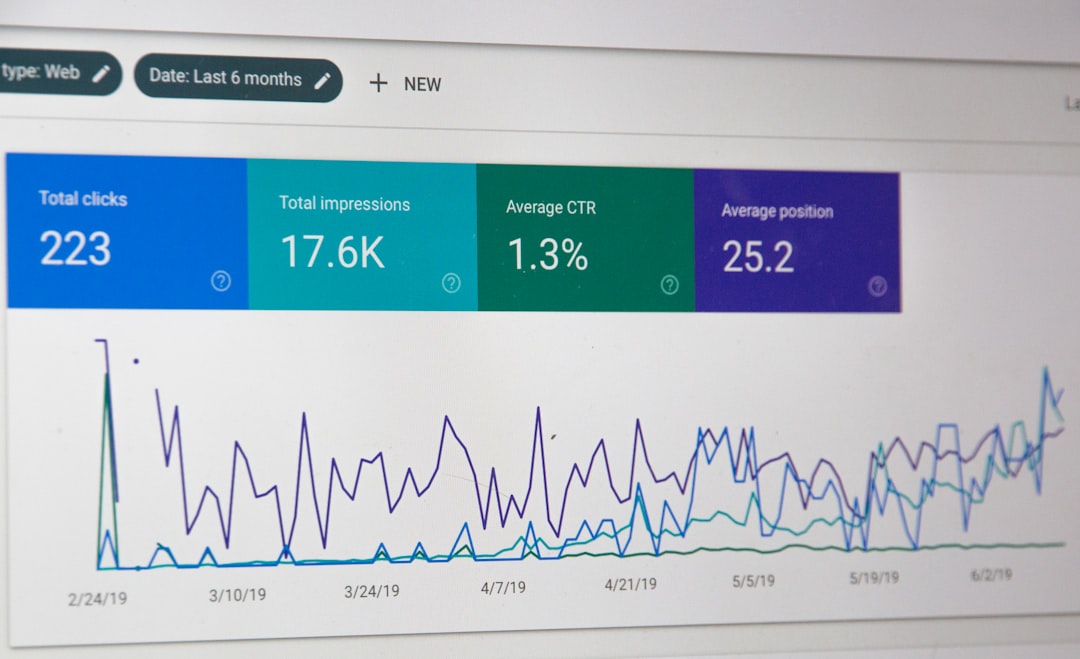
Quota alone is not enough. It tells you the final score. It does not tell you why the game went weird.
Track these too:
- Pipeline coverage: Do reps have enough open deals?
- Win rate: Are deals closing often enough?
- Average deal size: Are deals too small?
- Sales cycle length: Are deals taking too long?
- Activity levels: Are reps doing the right work?
- Forecast accuracy: Are reps calling deals honestly?
Here is a quick scenario. A rep has a $90,000 monthly quota. Their average deal is $15,000. Their win rate is 30%. They need around 20 active opportunities to have a fair shot. If they only have 8, the CRM should scream politely.
Best Practices for Quota Tracking
- Keep quotas visible. Reps should not need a treasure map.
- Update data daily. Old CRM data smells bad.
- Use simple dashboards. Red, yellow, green works.
- Review weekly. Monthly is often too late.
- Coach early. Do not wait until the last week.
- Avoid mystery math. Explain how quotas are built.
Sales quotas should push people. They should not crush them. A good CRM makes goals clear, progress visible, and coaching easier. Salesforce gives you power. HubSpot gives you speed and simplicity. The right choice is the one your team will use every day without groaning too loudly.