
Envoy and SwipedOn are strong visitor management apps for safer workplace check-ins, but the better choice depends on office size, security rules, and the level of automation required. Paper logbooks are still common, yet they expose names, phone numbers, visit times, and host details to anyone standing at reception. That is risky. IBM reported that the global average cost of a data breach reached $4.88 million in 2024 [source: IBM], which gives companies a clear reason to tighten even simple front-desk processes.
TLDR: Envoy suits companies that want polished visitor flows, badge printing, host alerts, and deeper workplace integrations. SwipedOn is a cleaner fit for small and mid-sized offices that want fast setup, simple check-ins, and staff sign-in tools without too much fuss. For example, a 75-person office receiving 30 visitors per day could save several reception hours each week by replacing manual sign-in sheets with automatic host notifications and digital records. Both tools improve safety, but Envoy tends to feel more enterprise-ready while SwipedOn feels lighter and easier to run.
Why visitor management apps matter
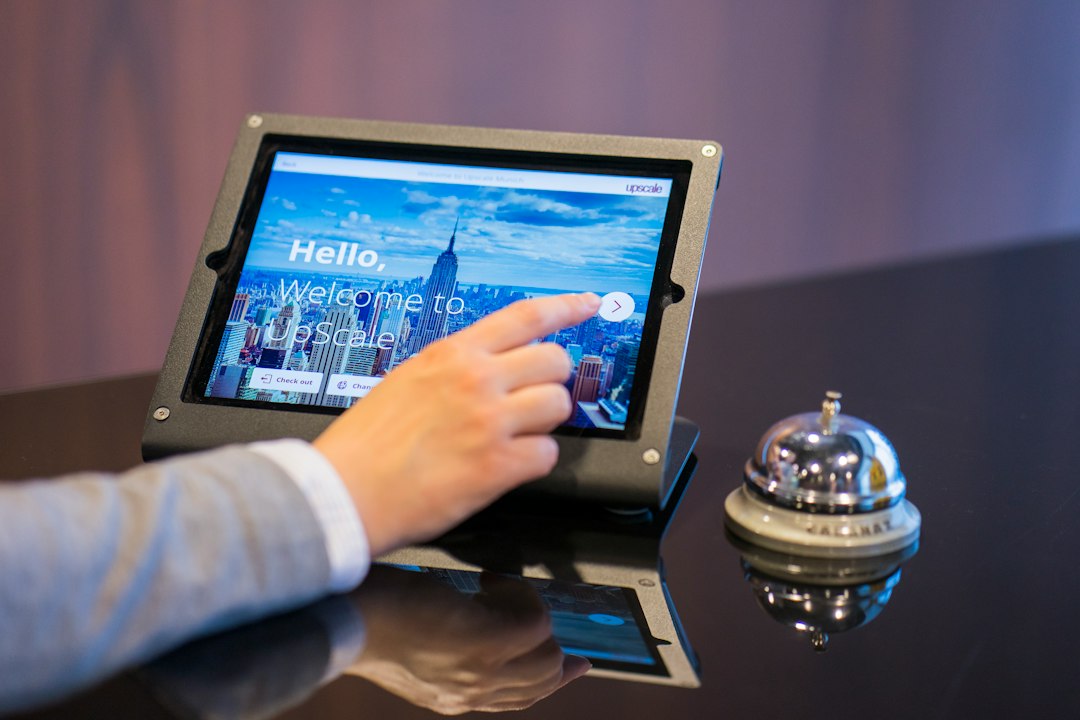
A visitor management app replaces the old clipboard at the front desk. Guests sign in on a tablet, read safety rules, accept policies, and notify the right employee. The system stores a digital record, so the company knows who entered, when they arrived, and who they came to see.
This matters during normal days and stressful ones. If there is a fire drill, security issue, or health concern, staff can check visitor logs in seconds. No one has to squint at messy handwriting or chase a receptionist for details. Honestly, it feels like paper sign-in books should have disappeared years ago.

Envoy: best for structured workplaces
Envoy is often used by larger offices, tech firms, shared workspaces, and companies with strict entry rules. It offers visitor check-in, badge printing, NDA signing, host alerts, delivery handling, and workplace tools. Security teams can connect it with door access systems, identity tools, and office calendars.
Envoy works well when a company needs a polished front desk. A guest can enter their name, take a photo, sign a document, and receive a printed badge. The host gets a message through email, Slack, Microsoft Teams, or SMS. That saves time and cuts awkward waiting at reception.
- Good fit for: larger teams, multi-location offices, regulated workplaces, and tech-heavy companies.
- Best features: custom sign-in flows, badge printing, visitor screening, delivery tracking, and integrations.
- Possible downside: setup can feel heavier than expected if the company only needs basic visitor logs.
The catch is that Envoy can feel like too much tool for a small office. Admins may spend extra time tuning settings, fields, and alerts. That is useful for complex sites, but tedious for a team that only wants names, times, and host notifications.
SwipedOn: best for simple and fast check-ins
SwipedOn focuses on clean visitor sign-ins with less friction. It is known for a simple tablet interface, visitor badges, employee in-out tracking, evacuation lists, and contactless check-in options. It usually feels easier for smaller companies to set up and teach.
A visitor can sign in, choose a host, answer screening questions, and receive clear instructions. Staff can see who is on-site without digging through paper records. For companies with workshops, clinics, schools, or small offices, that simple view can be enough.
- Good fit for: small businesses, schools, factories, clinics, and offices with light security needs.
- Best features: easy setup, staff sign-in, visitor badges, evacuation reporting, and contactless entry.
- Possible downside: fewer advanced integrations than some enterprise tools.

Safety gains from better check-ins
Both platforms make check-ins safer in practical ways. They reduce visible personal data. They create cleaner records. They help staff know who is inside the building. They also make policy acceptance easier, which helps when guests need to agree to safety rules or confidentiality terms.
Companies that already review access control and building security platforms should treat visitor management as part of the same plan. A locked door helps, but it does not answer a basic question: who is actually inside right now?
Key differences between Envoy and SwipedOn
| Area | Envoy | SwipedOn |
|---|---|---|
| Ease of setup | More options, more configuration | Simple and quick |
| Best audience | Mid-sized to large workplaces | Small to mid-sized teams |
| Security tools | Strong integrations and custom flows | Solid basics with clear records |
| User feel | Polished, structured, feature-rich | Clean, light, and easy to manage |
There is no perfect app for every building. Envoy wins when a company wants strong controls and office-wide workflows. SwipedOn wins when the goal is a smooth sign-in process that staff can use without a long training session.
Security and privacy checks before choosing
A visitor app handles personal data, so the company should check privacy settings before rollout. It should review data retention, admin permissions, audit logs, and export options. Anything that stores visitor names, phone numbers, photos, and legal forms deserves care.
The same habit used to spot security red flags in suspicious apps can help teams judge visitor tools. They should ask plain questions. Who can see the data? How long is it stored? Can records be deleted? Are alerts reliable?
IT teams should also match visitor systems with broader security controls, including device protection and endpoint security tools. A front-desk tablet is still a device on the network. It should be updated, locked down, and monitored.
Which one should a workplace choose?
A company should choose Envoy if it needs advanced workflows, many integrations, and a refined visitor experience across several locations. It is better for teams that care about brand presentation, compliance steps, and connected workplace systems.
A company should choose SwipedOn if it wants clear visitor records, fast setup, and less admin work. It is a smart option for offices that do not need a heavy security stack but still want safer check-ins than paper can offer.
The main rule is simple. If reception staff spend too much time calling hosts, reading handwriting, or searching old sign-in sheets, a visitor management app will likely pay off fast.
FAQ
- What is a visitor management app?
It is software that records guest check-ins, alerts hosts, prints badges, and stores visitor logs digitally. - Is Envoy better than SwipedOn?
Envoy is better for larger or more complex workplaces. SwipedOn is better for simple, fast, and lower-friction check-ins. - Can these apps replace a receptionist?
No. They reduce repetitive tasks, but reception staff still help with people, questions, and unusual situations. - Do visitor apps improve safety?
Yes. They show who is on-site, support evacuation lists, reduce exposed personal data, and keep cleaner entry records. - Are visitor management apps hard to set up?
SwipedOn is usually simpler. Envoy may take more setup because it offers more controls and integrations.