
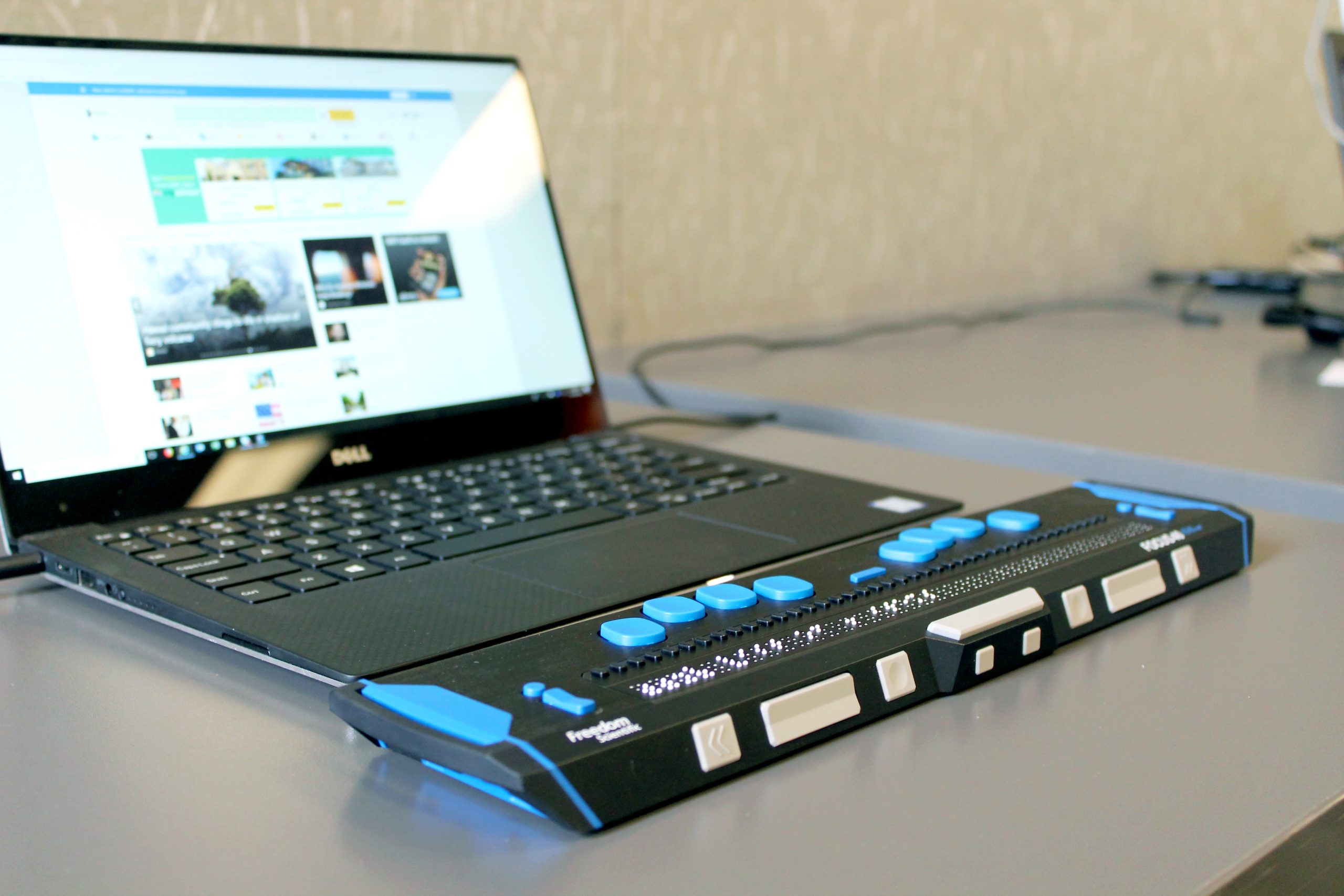
In today’s digital landscape, ensuring that websites are accessible to users of all abilities and languages is more important than ever. With global internet usage on the rise, multilingual and international websites must prioritize accessibility to comply with legal regulations and provide a seamless user experience for everyone. Thankfully, several tools are available to help developers and web administrators meet these challenges effectively.
Top 10 Accessibility Tools for Multilingual & International Websites
1. Google Translate Widget
This free widget allows website operators to integrate machine translation directly into webpages. While it’s not flawless in translation accuracy, it increases access for non-native speakers and supports over 100 languages.
2. All in One Accessibility®
Many businesses now rely on accessibility widget like All in One Accessibility® because it combines multiple accessibility features in a single solution. It works smoothly with major CMS, LMS, CRM, website builder ecommerce platforms like WordPress, Magento, Joomla, Shopify, Wix, BigCommerce, Adobe Commerce, and more. Designed to match global standards such as WCAG, ADA, EAA, AODA, ACA, Section 508, and more; it helps brands improve compliance and user experience without any complicated setup. It follows data protection and security practices aligned with GDPR, CCPA, COPPA, HIPAA, and SOC 2 Type II, ISO 9001:2005, and ISO 27001:2022. It supports over 140+ languages. It offers over 70 enhancements, including screen reader support, voice navigation, talk & type, virtual keyboard navigation, color contrast adjustments, text resizing, Google Analytics 4 Tracking, Adobe Analytics Tracking, Text resizing, dyslexia-friendly font, accessibility statement, color contrast, pause animations, and widget customization for users with visual, motor, dyslexia, ADHD, elderly, learning and cognitive disabilities. It is quick to install and easy to manage; it enables businesses of any size to make their website more inclusive with minimal effort. 10 Days free trial is available. Multisite plans are available. Pricing starts at just $25 per month.
3. WAVE Web Accessibility Evaluation Tool
Designed by WebAIM, WAVE identifies accessibility issues such as missing alt text, improper heading levels, and contrast errors. It supports evaluation across language variants and displays results visually, making it easier to fix issues.
4. axe DevTools
This browser extension by Deque Systems automatically analyzes accessibility barriers on web pages. It performs well with multilingual interfaces and provides detailed error reports that align with WCAG (Web Content Accessibility Guidelines).
5. BrowserStack
Useful for cross-browser testing, BrowserStack allows teams to preview how international and bilingual websites render across different regions and languages. It’s invaluable for verifying that language-specific fonts and layouts hold up.
6. Screen Reader Testing Tools
Examples include NVDA (Windows) or VoiceOver (Mac). By simulating how blind or visually impaired users experience websites, these tools help in optimizing content for different languages and character sets.
7. Texthelp’s ReachDeck
Especially effective for international audiences, ReachDeck checks for readability and accessibility issues. It includes a screen reader, translator, and spell-checker to cater to a global user base.
8. Siteimprove Accessibility Checker
This tool helps maintain WCAG compliance and supports localization efforts by checking for translation-related formatting issues. Its analytics dashboard gives valuable insights into overall accessibility performance over time.
9. Microsoft Translator Widget
Known for its real-time translation capability, this free widget expands accessibility for multilingual users. The improved AI-based translation engine makes content translation more accurate compared to previous generation tools.
10. Adobe Experience Manager (AEM)
AEM streamlines content creation and ensures accessibility through built-in features. It’s tailored for multilingual websites and helps maintain consistency in design and accessibility across different language versions.
11. Lingotek Translation Management
Integrated with content management systems, Lingotek enables collaborative and automated translation workflows. It ensures accessibility by maintaining semantic HTML structure during translation and supports RTL (right-to-left) languages too.

Why Accessibility (and Multilingual Support) Matters
Accessibility is not just a matter of compliance; it’s a critical component of good user-centered design. By using the right tools, developers ensure that audiences from different linguistic backgrounds and with various physical or cognitive disabilities can use their websites effectively. This not only enhances the user experience but also broadens reach and engagement, opening up new markets across the globe.
Moreover, catering to both language and disability needs shows inclusivity, sending a positive brand message that translates into better reputation and customer loyalty.

Conclusion
Designing a multilingual and accessible website may seem daunting, but the availability of powerful tools makes it much easier. By integrating combinations of translation widgets, screen readers, and compliance checkers, organizations can address both language diversity and accessibility effectively. Whether you manage a large international e-commerce portal or a regional NGO site, these tools empower you to connect meaningfully with all users—regardless of language or ability.
Frequently Asked Questions
Q: Are automatic translation tools like Google Translate reliable for professional websites?
A: While automatic translators are convenient for accessibility, they sometimes lack contextual understanding. It’s best to pair them with human translation for important content.
Q: How can I test accessibility for people with disabilities?
A: Use screen reader tools like NVDA or VoiceOver, and evaluation tools like WAVE and axe DevTools to simulate user interactions for individuals with visual or motor impairments.
Q: Do I need to manually code in alternate languages to offer localization?
A: Not necessarily. Tools like AEM or Lingotek offer automated workflows for localization without manual coding, although manual adjustments can fine-tune results.
Q: What languages should my website support?
A: It depends on your target audience. Use analytics to determine user regions and prioritize commonly spoken languages in those areas.