
Cinco de Mayo is always on May 5, no matter what day of the week it lands on. If you are checking a calendar, planning a party, scheduling a restaurant promotion, or building a content calendar, that fixed date is the starting point. In 2026, Cinco de Mayo falls on a Tuesday, which matters because weekday events often need earlier promotion and tighter timing.
TLDR: Cinco de Mayo is celebrated every year on May 5, and a holiday calendar tool is the quickest way to confirm the date. For simple reminders, Google Calendar, Outlook, Apple Calendar, or a holiday calendar feed is enough. For example, a restaurant planning a 2026 Cinco de Mayo event may start promotions 21 days early and schedule social posts at least 3 times per week to boost bookings. If you are managing vendors, staff, tickets, or a guest list, use an event planning tool instead of relying on a basic calendar.
When Is Cinco de Mayo?
Cinco de Mayo is observed on May 5 every year. The name literally means “Fifth of May” in Spanish, so the date is built into the holiday itself. It does not shift like Easter, Thanksgiving, or some bank holidays.
That makes it easy to remember, but not always easy to plan around. The weekday changes each year. A Friday Cinco de Mayo feels perfect for parties and restaurant events. A Tuesday Cinco de Mayo, not so much. That difference can affect staffing, advertising, school activities, bar traffic, and family plans.
Here are the upcoming dates:
- 2026: Tuesday, May 5
- 2027: Wednesday, May 5
- 2028: Friday, May 5
- 2029: Saturday, May 5
- 2030: Sunday, May 5
What Cinco de Mayo Actually Commemorates
Cinco de Mayo is often mistaken for Mexican Independence Day. That is incorrect. Mexican Independence Day is celebrated on September 16.
Cinco de Mayo marks the Battle of Puebla, which took place on May 5, 1862. Mexican forces defeated the French army against tough odds. The battle did not end the war, but it became a strong symbol of resistance and pride.
In Mexico, the holiday is most closely tied to Puebla. In the United States, it has grown into a broader celebration of Mexican culture, food, music, and community. That is why you see restaurant specials, parades, school lessons, dance performances, and local festivals built around the date.
Holiday Calendar Tools: Best for Fast Date Checks
Holiday calendar tools are useful when you need a quick answer. If your only question is “When is Cinco de Mayo this year?” then a standard calendar app does the job.
Most people use one of these options:
- Google Calendar: Good for reminders, shared calendars, and recurring events.
- Apple Calendar: Simple for iPhone and Mac users who want alerts across devices.
- Microsoft Outlook: Helpful for offices, teams, and email based scheduling.
- Holiday calendar subscriptions: Useful if you want cultural, national, or regional holidays added automatically.
- Calendar websites: Fast for checking dates without creating an account.
The main benefit is speed. Type “Cinco de Mayo” into a calendar search, and you get the date in seconds. You can add a reminder, invite a few people, and move on.
Honestly, it feels like some calendar apps make simple tasks oddly annoying. Adding a repeating reminder may take 20 seconds longer than it should because you have to tap through several menus. That is not a disaster, but it gets old when you are adding dozens of promotional dates.
Where Basic Holiday Calendars Fall Short
A holiday calendar tells you when something happens. It does not help much with how to run the event.
That gap gets obvious fast. Suppose you own a taco shop and want to host a Cinco de Mayo special. A calendar can remind you that May 5 is coming. It will not build your staff schedule, track salsa inventory, assign someone to order decorations, or remind your designer to finish the poster by April 22.
A basic calendar also struggles with layered planning. If you have vendors, permits, menu changes, deposits, ticket sales, playlist prep, and cleanup crews, a single date square starts to feel cramped.

Event Planning Alternatives: Better for Real Work
Event planning tools are better when Cinco de Mayo is more than a reminder. They help turn a date into a working plan.
Common alternatives include:
- Project management tools: Best for task lists, deadlines, owners, and progress tracking.
- Event registration platforms: Useful for RSVPs, ticketing, guest limits, and check in.
- Spreadsheets: Simple, cheap, and flexible for budgets, vendor lists, and content calendars.
- Team chat apps: Good for quick updates, staff questions, and last minute changes.
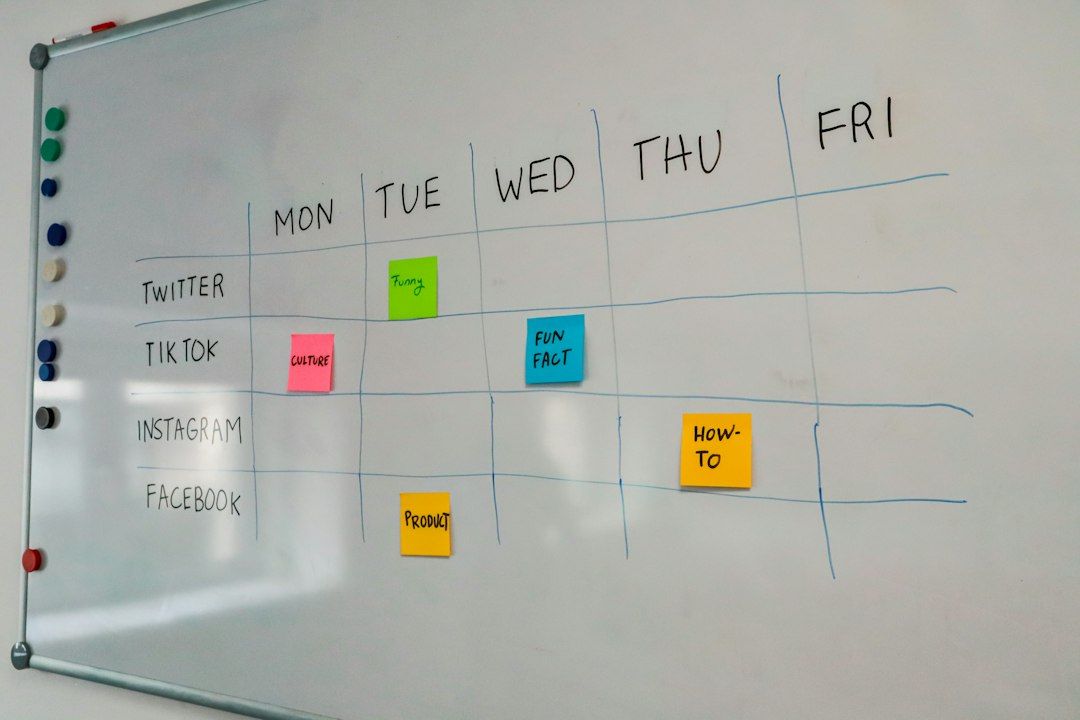
- Marketing schedulers: Helpful for email campaigns, social posts, and promotional timing.
It drives me crazy when teams try to manage a full event from one calendar invite. Someone adds “Cinco de Mayo party” to the schedule, and suddenly that tiny note is expected to hold the budget, the menu, the guest count, and the staff plan. It will not.
Which Tool Should You Use?
The right choice depends on the size of the task. Do not overbuild a simple reminder. Do not underplan a public event.
Use a holiday calendar tool if you need to:
- Confirm that Cinco de Mayo is on May 5.
- Set a personal reminder.
- Add the holiday to a family calendar.
- Plan a small dinner or casual gathering.
- Check which weekday May 5 falls on.
Use an event planning alternative if you need to:
- Assign tasks to multiple people.
- Track a budget or vendor payments.
- Sell tickets or manage RSVPs.
- Schedule staff shifts.
- Plan ads, emails, and social posts.
- Coordinate setup, service, and cleanup.
A Simple Cinco de Mayo Planning Timeline
If you are planning a public event, start earlier than you think. A fixed date can sneak up on you, especially when May is already packed with graduations, school events, spring sports, and Mother’s Day planning.
Here is a practical timeline:
- 6 to 8 weeks before: Pick the event type, budget, location, and main offer.
- 4 weeks before: Confirm vendors, staff, menus, performers, or speakers.
- 3 weeks before: Start promotion through email, flyers, local listings, and social media.
- 1 week before: Confirm inventory, weather plans, shifts, music, signage, and setup.
- Day before: Print lists, charge devices, prep ingredients, and brief the team.
- Day after: Review sales, attendance, feedback, and what needs fixing next year.
Holiday Data Can Help More Than You Think
Cinco de Mayo is not just a date. It can affect buying habits. Restaurants, bars, grocery stores, caterers, and party supply shops often treat it as a seasonal sales moment.
For a small business, even modest planning can make a clear difference. If a restaurant seats 80 people and usually averages 65% capacity on a Tuesday, a Cinco de Mayo campaign could aim for 90% capacity. That is 20 extra filled seats. With an average check of $28, that is about $560 in extra revenue before add ons, drinks, or takeout orders.
That kind of math is why event planning tools can beat a plain holiday calendar. A calendar reminds you. A planning system helps you act.
Final Recommendation
If all you need is the date, use a holiday calendar. Cinco de Mayo is always May 5, so a quick calendar check is enough for personal plans.
If money, guests, staff, vendors, or marketing are involved, use an event planning setup. A calendar can still hold the main date, but your real work belongs in task lists, spreadsheets, registration tools, or project boards. That split keeps the date clear and the planning under control.
Best simple setup: put Cinco de Mayo on your main calendar, then create a separate planning checklist if the event has more than five moving parts. That keeps the reminder easy and the execution realistic.